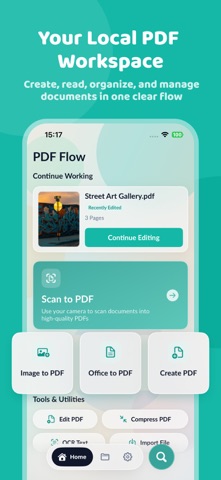
PDF Flow is your private offline PDF tool for viewing, creating, editing and storing PDFs on your phone. Generate PDFs from photos, text or blank pages, edit pages in a clear reader view, and save all files on your device.
Create PDF files
- Merge selected photos into one PDF
- Type text and export clean PDF documents
- Create blank PDFs with custom page numbers
- Import PDFs and images from the Files app
Read & edit PDF pages
- Read documents continuously, navigate quickly with page thumbnails
- Zoom in/out for clearer reading
- Insert blank pages or add photo pages
- Duplicate pages or remove unwanted ones
- Modify single pages while keeping your original file intact
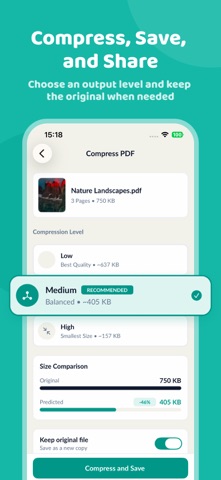
Compress & share PDFs
- Select compression strength to fit your needs
- Preview estimated file size before compression
- Save a copy of your original document if needed
- Export or share PDFs through iOS native share sheet
Manage your local file library
- Sort files by name, date or file size
- Use categories and favorites to filter your documents
- Search filenames and view recent searches
- Restore deleted files or erase them forever
- Clear temporary cache and thumbnails without deleting PDFs
All PDF editing, reading, compression and file management happens directly on your iPhone.
PDF Flow needs no account and will never upload your files to outside servers. Your documents only leave the app when you actively share them via iOS share functions.
Feature performance varies based on file content, format, device hardware and iOS system version.