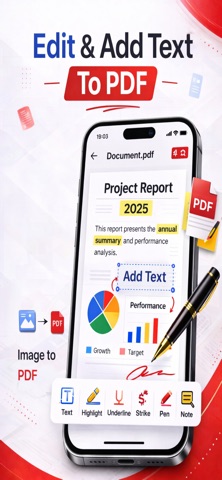
PDF Editor is a Complete PDF toolkit for iPhone that lets you edit, sign, fill, annotate, merge, and create PDF documents wherever you go.
Whether you're working with business documents, school assignments, applications, contracts, receipts, or everyday paperwork, PDF Editor gives you the tools to work with your PDFs from one convenient place.
Powerful PDF Editing Tools
Add text to your PDF documents and customize your files directly from your iPhone.
- Add information wherever you need it
- Customize your PDF documents
- Work with your documents without printing
Sign PDF Documents
Sign important documents directly from your iPhone.
- Create your digital signature
- Add signatures to PDF documents
- Sign contracts, applications, and paperwork
- Complete documents without printing
Fill PDF Forms
Complete PDF forms quickly and conveniently.
- Type into PDF forms
- Fill out form fields
- Add information to documents
- Sign forms when required
- Save completed documents
Annotate PDFs
Review documents and highlight the information that matters.
- Highlight important content
- Add annotations and notes
- Mark up PDF documents
- Review and work with PDFs on your iPhone
Image to PDF
Turn your photos and images into professional PDF documents.
- Convert images to PDF
- Create PDFs from photos
- Select images from your device
- Create PDF documents from your images
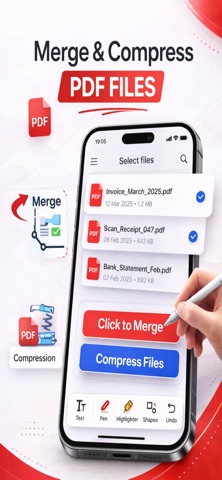
Merge PDFs
Bring multiple PDF documents together in one file.
- Merge multiple PDF files
- Combine documents into a single PDF
- Keep related documents together
Your Complete PDF Toolkit
From editing and signing documents to filling forms, annotating files, merging PDFs, and converting images to PDF, PDF Editor gives you powerful tools for working with documents wherever you are.
Whether you're a student, professional, business owner, or simply managing everyday paperwork, PDF Editor helps you handle your PDF documents from one convenient place.
Download PDF Editor and take your PDF workflow with you wherever you go.
Terms of Use (EULA): https://www.apple.com/legal/internet-services/itunes/dev/stdeula/
Privacy Policy : https://sites.google.com/view/privacypolicy-image-to-pdf-ios/home