Scan, edit, convert, and organize documents effortlessly with ScaniX – your all-in-one AI PDF scanner and document manager.
Scan documents, edit PDFs, convert files, create invoices and resumes, extract text with OCR, and chat with your documents using AI - all in one powerful scanner app.
ScaniX is an all-in-one document scanner and PDF productivity app designed for students, professionals, businesses, freelancers, and anyone who works with digital documents. Whether you need a fast PDF scanner, QR code scanner, AI document assistant, or advanced PDF editor, ScaniX provides everything you need in a simple and efficient experience.
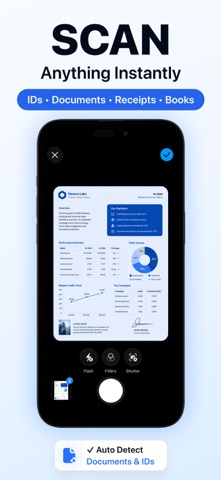
Scan Documents Anytime
Turn your device into a portable scanner and digitize important paperwork in seconds.
- Document Scanner
- QR Code Scanner
- ID Card Scanner
- Passport Scanner
- Scan to import documents
- Import files from Gallery
- Import files from File Manager
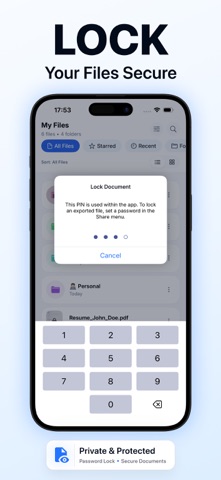
Organize Your Files with Ease
Keep every document neatly arranged and easy to access.
- Create folders and move files
- Star important documents
- View recently scanned files
- Batch export multiple documents
AI Document Assistant
Save time and understand documents faster with intelligent AI features.
- Ask questions about your documents
- Generate concise document summaries
- Quickly extract key information
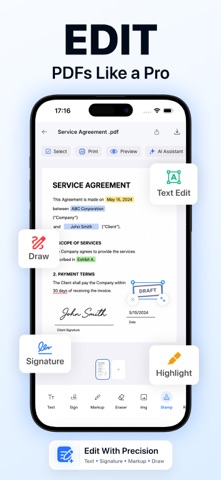
Powerful PDF Editor
Modify and enhance PDFs without switching between multiple apps.
- Add blank pages
- Add signatures
- Insert text
- Add images and shapes
- Draw and annotate
- Remove unwanted objects
- Split and merge PDFs
- Add page numbers
- Apply labels and watermarks
- Blur sensitive information
- OCR text recognition for scanned files
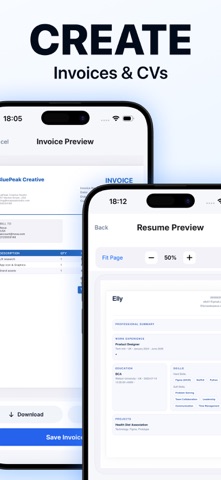
Create Professional Documents
Generate important files directly from your phone.
- Create invoices
- Build CVs and resumes
Advanced PDF Conversion Tools
Convert between popular document formats with ease.
- Office to PDF
- EPUB to PDF
- Image to PDF
- HTML to PDF
- DOC/DOCX to PDF
- DOC to DOCX
- PDF to Images
- PDF to DOCX
- PDF to PPTX
- PDF to HTML
- PDF to OCR
- PDF to XLSX
- PDF to TXT
- PDF to SVG
- Compress PDF files
Reasons to Choose ScaniX
- All-in-one PDF scanner, editor, converter, and AI assistant
- Fast and accurate OCR for extracting text from scanned documents
- Create invoices and professional resumes in minutes
- Merge, split, compress, watermark, blur, and annotate PDFs
- Convert documents between multiple popular formats
- Organize files with folders, favorites, and recent scans
- Export multiple documents at once to save time
- Scan QR codes, passports, ID cards, receipts, contracts, and paperwork
- Ask AI questions about your documents and generate instant summaries
- Designed for students, teachers, professionals, freelancers, businesses, researchers, travelers, and everyday users
Whether you're scanning notes, receipts, contracts, invoices, IDs, passports, reports, or business documents, ScaniX helps you scan smarter, edit faster, convert effortlessly, and stay organized from anywhere.
***SUBSCRIPTION INFORMATION***
Yearly Plan
Weekly Plan
• Payment will be charged to your iTunes Account at confirmation of purchase.
• Subscription automatically renews unless auto-renew is turned off for at least 24-hours before the end of the current period.
• Account will be charged for renewal within 24-hours prior to the end of the current period at the cost of the chosen package.
• Subscriptions may be managed by the user and auto-renewal may be turned off by going to the user's Account Settings after purchase.
• No cancellation of the current subscription is allowed during the active subscription period.
Privacy Policy: https://swiftybrains.com/privacy-policy/
Terms of Use: https://swiftybrains.com/terms-of-use/
Support: info@swiftybrains.com