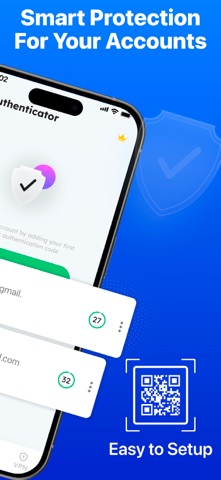
2-Step Authenticator – Passwords manager
2-Step Authenticator is a simple and reliable authenticator app designed to protect your online accounts and personal data in one place. It helps you generate secure login codes, manage passwords, browse privately, and use a VPN for safer connections. With a clean design and easy controls, this app supports strong account protection for everyday use.
This 2 step authenticator generates time-based codes for services that support extra security layers. By using 2 factor authentication, you add an additional check during sign-in, reducing the risk of unauthorized access. The app works offline for code generation, so your access stays reliable even without an internet connection.
Key Security Features
-Authenticator Codes
Generate secure login codes with this trusted 2fa authenticator. The app supports multiple accounts and helps you organize them in one secure space. Each code refreshes automatically, supporting multi factor authentication standards used by many online services. If you need a dependable authenticator app for daily account access, this solution keeps things simple.
-Two-Step OTP Protection
The app provides two Step authenticator otp codes that change every few seconds. These codes work alongside your password to strengthen sign-in security. Using 2 factor authentication and multi factor authentication together adds an extra layer of confidence for sensitive accounts.
-Password Manager
Securely save and manage your passwords inside the app. The built-in password manager helps you store login details in an encrypted environment, reducing the need to remember multiple passwords. Combined with the 2 step authenticator, it creates a complete security workflow for your accounts.
-Private Browser
Browse the web with more privacy using the private browser. It helps reduce tracking and keeps your browsing activity separate from regular sessions. When paired with two Step authenticator otp protection, your online activity stays more controlled and private.
-VPN Support
Use the integrated VPN feature to help protect your connection on public or unsecured networks. This adds another safety layer when accessing accounts protected by 2fa authenticator codes and 2 factor authentication methods.
-Why Choose This App
Supports authenticator app functionality for multiple accounts
-Reliable 2 step authenticator for everyday security needs
-Generates two Step authenticator otp codes offline
-Uses 2 factor authentication and multi factor authentication standards
-Includes password manager, private browser, and VPN tools
-Simple interface, easy setup, and clear code display
Whether you want a single authenticator app for account protection or a complete privacy toolkit, 2-Step Authenticator brings essential security features together. By combining 2fa authenticator codes, 2 step authenticator workflows, two Step authenticator otp generation, and support for multi factor authentication, this app helps you stay protected across your digital life.
Privacy Policy
https://sites.google.com/metasoltechnologies.com/privacypolicyauthenticatorapp/home
Eula(End User License Agreement)
https://www.apple.com/legal/internet-services/itunes/dev/stdeula/