Pages is now part of Apple Creator Studio, an amazing collection of Apple’s most powerful creative apps designed to help you bring your ideas to life. The suite includes Final Cut Pro, Logic Pro, Pixelmator Pro, Motion, Compressor, and MainStage — plus premium content and intelligence features in Keynote, Pages, Numbers, and Freeform, all in one simple plan. Creating, viewing, and editing documents in Pages, as well as collaborating with others in real time, does not require a subscription.
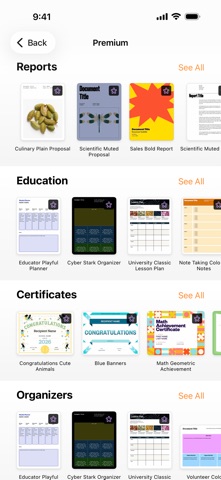
Create beautiful documents with Pages on iPhone, iPad and Mac. Start with an Apple-designed template for a report, resume, poster, or digital book. Easily add images, movies, audio, tables, charts, and shapes. Use comments, change tracking, and highlights to review your work. On iPhone and iPad, Screen View optimizes content for your screen, making it easier to edit.
Get Started Quickly
• Work from iPhone, iPad, Mac, or even a PC with iCloud.com
• Select from a wide variety of Apple-designed templates
• Add from a library of shapes, tables, and charts with pre-defined styles
• Import and edit Microsoft Word and text files
Create Beautiful Documents
• Format your document with gorgeous styles, fonts, and textures
• Make your content more engaging with recorded audio, video, and image galleries
• Create page templates to keep the design consistent across your page layout document
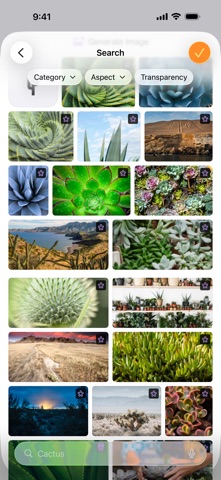
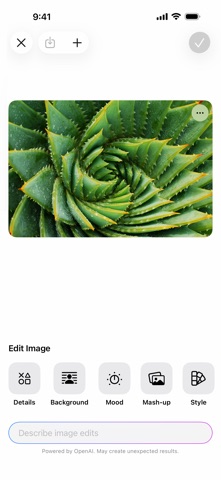
• Use powerful graphics tools including image background removal and masking
• Design interactive EPUB books that can be shared with others or published to Apple Books
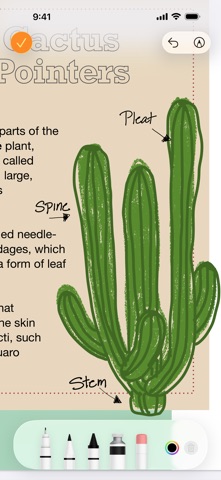
• Draw, write or annotate with Apple Pencil on iPad
Advanced Tools
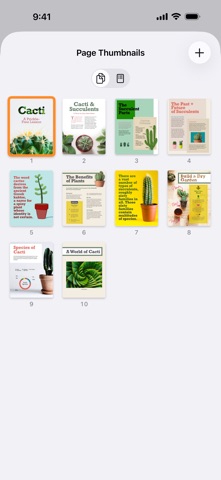
• Use the table of contents view to easily navigate your document or book
• Add comments and join threaded conversations
• Turn on change tracking to mark up a document as you edit it
• Create footnotes and endnotes and view character, word, and paragraph counts
• Add elegant mathematical equations using LaTeX or MathML notation
• Use presenter mode on iPhone and iPad to auto scroll text while giving a speech
• Seamless integration with EndNote for inserting citations on Mac*
Share with Anyone
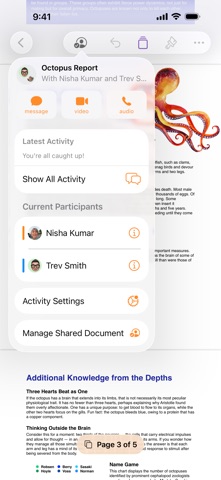
• Share your document publicly or collaborate with specific people using iCloud or Box
• Make changes from any device and see a list of changes from others in real-time
• Export your document in EPUB, Microsoft Word, RTF, TXT, and PDF format
Apple Intelligence
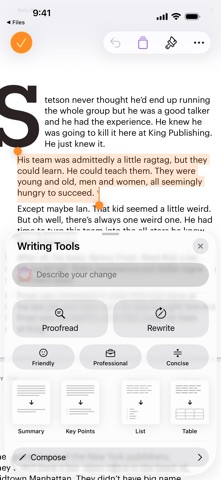
• Use Writing Tools to proofread, rewrite, summarize, and compose text
• Create your own fun images with Image Playground based on a description
Some features of Apple Creator Studio require an Apple Intelligence–capable device. For full system requirements and usage limits for Apple Creator Studio intelligence features, see Apple Support article 125029.
* EndNote sold separately. EndNote integration requires a plug-in available from Apple Support.