ALL YOUR CALENDARS, IN ONE APP
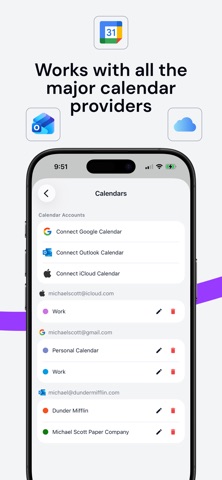
Stop juggling between Google Calendar, Outlook, and iCloud. OneCal brings all your calendars together in a single, beautifully organized interface — so you can focus on what matters instead of managing where your events live.
Loved by over 5,000 customers for the reliability, intuitive design, and responsive support.
— UNIFIED CALENDAR VIEW —
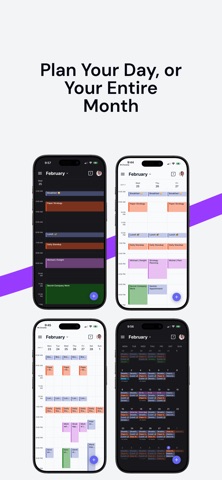
See every event from every calendar account in one place. Switch between Day, 3-Day, Week, and Month views to see your schedule your way. Toggle individual calendars on or off, navigate with swipe gestures, and pull to refresh your data. All-day events, overlapping meetings, and timezone labels are all handled beautifully — so your schedule is always clear at a glance.
— EVENT MANAGEMENT —
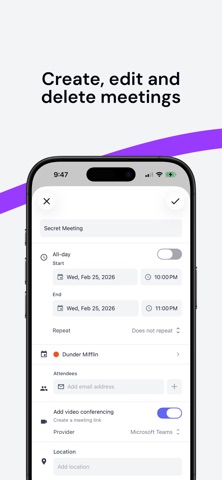
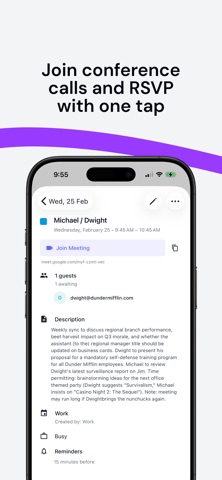
Create events by tapping the + button or by holding and dragging directly on a time slot to set a custom duration. Add locations, descriptions, reminders, attendees, and video conferencing links for Google Meet, Microsoft Teams, or Zoom. Set events as busy or free, and configure recurring patterns — daily, weekly, monthly, yearly, or fully custom. Edit a single occurrence or the entire series. RSVP to invitations with optional notes, and join video calls with a single tap.
— REMINDERS & ATTENDEES —
Set multiple reminders per event - from minutes to days in advance. Add attendees by email, track RSVP responses, and see at a glance how many guests are attending, maybe, or haven't responded yet.
— SCHEDULING & BOOKING LINKS —
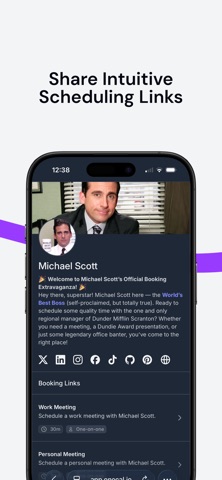
Share professional scheduling links and let others book time with you effortlessly. No more back-and-forth emails trying to find a time that works. Create individual booking links for one-on-one meetings or collective booking links for group scheduling with your team. Customize durations, add buffer times before and after meetings, require approval for bookings, and brand your scheduling pages with your own style. Manage all your bookings — upcoming, unconfirmed, past, and cancelled — directly from the app. Confirm, reject, or reschedule with just a tap.
— AVAILABILITY SYNC —
Sync your calendars in real-time to avoid double-bookings and scheduling conflicts. Set up one-way or two-way synchronization between any combination of Google Calendar, Outlook, and iCloud calendars. Fully customize what gets synced - event titles, descriptions, participants, locations, and meeting lInks. Keep sensitive information private by marking synced events as private or free. Exclude events by color, and pause or resume syncs whenever you need.
— TEAM COLLABORATION —
View your team members' calendars and availability side by side. OneCal makes it simple to see who's free, plan meetings across time zones, and keep everyone aligned. Invite team members, manage roles, and coordinate schedules — perfect for distributed teams that need to stay in sync without the hassle.
— PERSONALIZE YOUR EXPERIENCE —
Make OneCal yours. Choose between light, dark, or system theme. Set your preferred hour format, first day of the week, default event duration, and timezone. Rename calendars, change their colors, or hide the ones you don't need.
— PRIVACY & SECURITY —
Your data stays yours. OneCal connects via OAuth2 - we never store your passwords and never analyze your calendar data. All information is encrypted in transit and at rest on secure AWS infrastructure. We request only the minimum permissions required.
— GET STARTED TODAY —
Download OneCal and take control of your schedule. Connect your Google, Outlook, and iCloud calendars in seconds and never worry about scheduling conflicts again.
Have questions or feedback? We'd love to hear from you at contact@onecal.io
Terms of Use: https://www.apple.com/legal/internet-services/itunes/dev/stdeula/
Privacy Policy: https://www.onecal.io/privacy