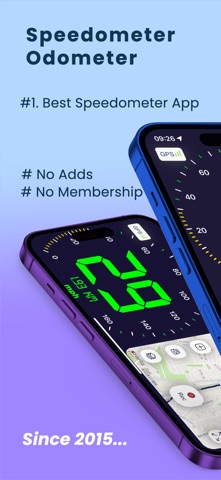
Speedometer Simple Real is a simple speedometer that is very easy to use.
This app uses phone's GPS to accurately determine your speed.
Speedometer has large fonts and supports mph, km/h, and knots speed display. Optionally, city name and a compass can be shows on the screen. The app also shows the traveled distance. Average and maximum speed is displayed in an optional screen as well
- You can see your velocity instantly when you driving with using different base maps.
- You can Change Velocity Unit (KMH - MPH)
- All button colors are changeable according to vehicle velocity.
- Share screenshots instantly at all platforms.
- The only thing you need to do is placing your phone to the suit place. Your location will be automaticly updated by this app.
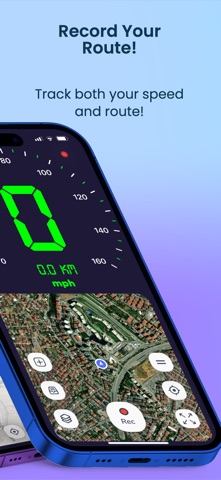
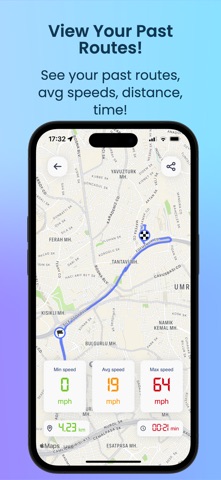
- You can record your works as you wish and make retrospective analysis.
Speedometer Simple is an easy-to-use app featuring a clear display with large fonts and supports mph, km/h, and knots for speed measurement. It utilizes the phone's GPS to precisely measure your speed. Additional features include an optional city name and compass display, and it tracks traveled distance along with average and maximum speeds. The app also allows users to customize the interface color from several choices, and records speed data for access to post-trip statistics such as maximum speed and distance traveled.
Speedometer is an MGRS/USNG focused premium navigation tool trusted, search and rescue personnel and other professional navigators around the world. View your current location and save route . Or plan and organize your navigation using the powerful and intuitive mapping and overlay capabilities.
This app uses phone's GPS to accurately determine your speed. Speedometer has large fonts and supports mph, km/h, and knots speed display. Optionally, city name and a compass can be shows on the screen. The app also shows the traveled distance. Average and maximum speed is displayed in an optional screen as well.
SUBSCRIPTION PRICING AND TERM
• Auto-renewable subscription
• 1 month ($14.99), 6 month ($39.99) durations
• Your subscription will be charged to your iTunes account at confirmation of purchase and will automatically renew (at the duration selected) unless auto-renew is turned off at least 24 hours before the end of the current period.
• Current subscription may not be cancelled during the active subscription period; however, you can manage your subscription and/or turn off auto-renewal by visiting your iTunes Account Settings after purchase
• Privacy policy and terms of use: https://ikbalyasar.github.io/smsgonderapp/speedGeo.html
Visit the site for Terms and Conditions.
Terms of Use: https://www.apple.com/legal/internet-services/itunes/dev/stdeula/
Visit the site for Terms and Conditions.
Contact
ikbalyasar@gmail.com