Numbers is now part of Apple Creator Studio, an amazing collection of Apple’s most powerful creative apps designed to help you bring your ideas to life. The suite includes Final Cut Pro, Logic Pro, Pixelmator Pro, Motion, Compressor, and MainStage — plus premium content and intelligence features in Keynote, Pages, Numbers, and Freeform, all in one simple plan. Creating, viewing, and editing spreadsheets in Numbers, as well as collaborating in real time, does not require a subscription.
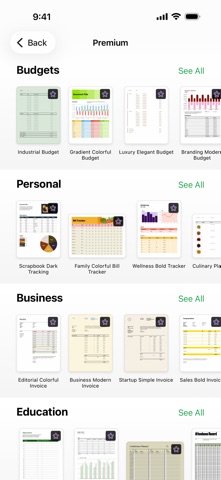
Create gorgeous spreadsheets with Numbers on iPhone, iPad and Mac. Get started with Apple-designed templates for everything from a home budget to an invoice. Add tables, charts, text, and images anywhere on the flexible canvas. Animate your data with interactive charts, find patterns with pivot tables, and use hundreds of powerful functions.
Get Started Quickly
• Work from iPhone, iPad, Mac, or even a PC with iCloud.com
• Select from a wide variety of Apple-designed templates
• Add from a library of shapes, tables, and charts with pre-defined styles
• Import and edit Microsoft Excel and CSV files
Create Beautiful Spreadsheets
• Place tables, charts, text, and images anywhere on the flexible canvas
• Create a form on iPhone or iPad to quickly enter data on the go
• Draw or write with Apple Pencil on iPad
Formulas for Everyone
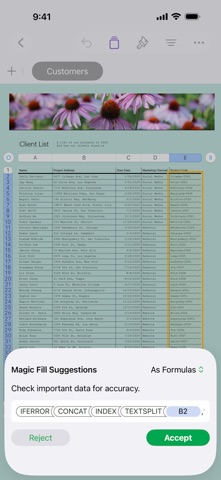
• Choose from hundreds of powerful functions, including XLOOKUP and RegEx
• Search the integrated function browser for built-in help and sample formulas
• Easily add stock information to spreadsheets
• See results from a single formula across multiple cells using spilling arrays
Everything Adds Up Beautifully
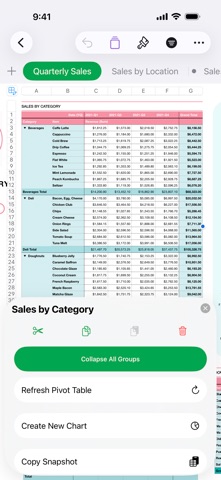
• Use pivot tables and categories to see your data in a whole new way
• Quickly organize and summarize tables to gain new insights
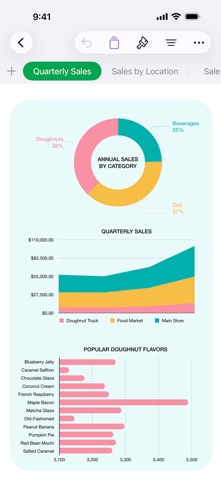
• Insert gorgeous 2D and 3D charts, including bar, column, line, area, pie, donut, and radar charts
• Animate data with interactive column, bar, scatter, and bubble charts
• Easily filter through large tables for specific values, text, or duplicate entries
• Change values in cells using sliders, steppers, checkboxes, pop-ups, and star ratings
Share with Anyone
• Share your spreadsheet publicly or collaborate with specific people using iCloud or Box
• Make changes from any device and see a list of changes from others in real-time
• Export your spreadsheet in CSV, TSV, PDF, and Microsoft Excel
Apple Intelligence
• Use Writing Tools to proofread, rewrite, summarize, and compose text
• Create your own fun images with Image Playground based on a description
Some features of Apple Creator Studio require an Apple Intelligence–capable device. For full system requirements and usage limits for Apple Creator Studio intelligence features, see Apple Support article 125029.