Turn spoken words into organized knowledge — instantly.
NoteSpeak records any talk and transforms it into clean transcripts, concise AI summaries, and notes. Capture lectures, meetings, interviews, and podcasts. Get the key points, action items, timestamps, and categories—so you can review in minutes, not hours.
Why NoteSpeak?
- One-tap capture: Start recording fast—focus on the moment, not the mic.
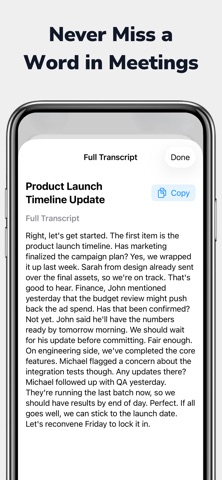
- Accurate transcripts: Clear, readable text for lectures, meetings, and voice notes.
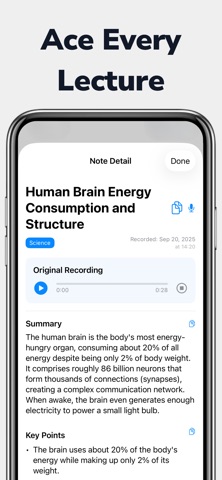
- AI key points: Automatic summaries with highlights, action items, and decisions.
- Chapters & timestamps: Jump to the exact moment that matters.
- Auto-organized notes: Categories, tags, and smart folders keep everything tidy.
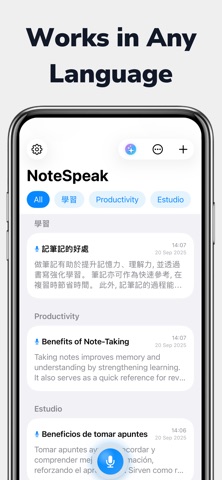
- Works across languages: Record and transcribe in multiple languages for global workflows.
- Share & export: Send summaries or full transcripts; export for study or collaboration.
What You’ll Get?
- From speech to text—fast: High-quality transcription you can trust for study, work, or research.
- From text to insight: AI distills long recordings into clear bullet points and follow-ups.
- From chaos to clarity: Automatic topics, categories, and tags make notes easy to browse.
- From scattered files to a system: All your lectures, meetings, and voice memos live in one organized library.
Built for Real Life
Students & learners: Capture lectures, get clean notes, and review key ideas before exams.
Professionals & teams: Turn meetings into minutes with action items you can share.
Researchers, journalists, creators: Transcribe interviews and podcasts; pull quotes and highlights.
Multilingual workflows: Record in any language no need to change your settings AI organize them together perfectly.
Details that Delight
- Speaker-aware notes (when applicable): Attribute points to the right voice for clearer minutes.
- Noise-aware recording: Optimized for classrooms, conference rooms, and on-the-go capture.
- Smart formatting: Headings, bullets, and sections make summaries and key points effortless to skim.
How it fits your day?
-Lecture first thing: Hit record → get transcript + summary + key terms before your next class.
Stand-up before lunch: Auto minutes with decisions & owners—no manual note-taking.
Interview after work: Capture everything, then scan highlights to write faster.
Highlights (at a glance)
Record • Transcribe • Summarize
Key points • Action items • Decisions
Auto categories • Tags • Organized library
Multilanguage recording & transcription
Copy & paste when you’re ready
Give your ideas a better memory.
Download NoteSpeak today and turn every lecture, meeting, and conversation into organized knowledge.
Developed by Fastemy - Fast and Fun Education
Privacy Policy: https://fastemy.com/privacy-policy
Terms of Service: https://fastemy.com/terms-of-use