Notes, tasks, voice recordings, web pages, and files - all in one beautiful native iOS app. Your data stays on your device
Featured by Apple - "New Apps We Love"
4.8 stars from thousands of users
"Better than Notion for personal use - kind of like Notion, but native"
"Better than Evernote's and OneNote's mobile app"
"Best notes app. It does everything I could want"
- KEY FEATURES -
PRIVATE
All data stored locally on your device, owned by you. No account required to get started. Just open the app and write.
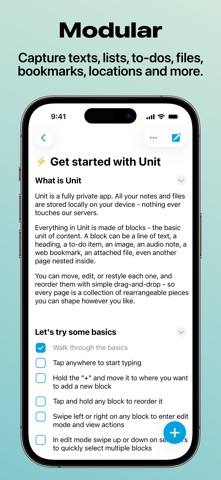
MODULAR
Every piece of content is an independent block. Capture texts, lists, to-dos, files, bookmarks, locations, and more - then arrange them however you want.
ORGANIZED
Folder-like system, tags, color coding, and search. Put notes inside other notes to build any structure you need - shopping lists, project plans, or an entire personal knowledge base.
TO-DOS
Flexible task and project system built right into your notes. Create checklists, set reminders, check items off. No need for a separate task app.
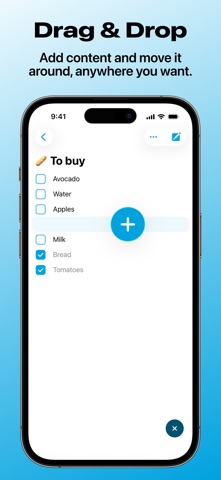
DRAG & DROP
Add content and move it around, anywhere you want. Designed for touch from day one - not adapted from desktop.
READ IT LATER
Save websites and articles to read later. Keep everything you find online in one place alongside your notes.
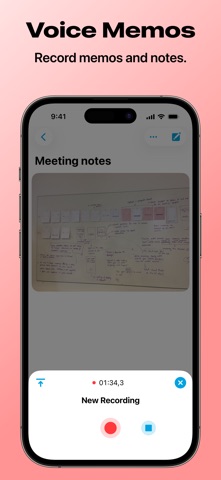
VOICE MEMOS
Record memos, meeting notes, lectures, and ideas. Right there next to your text notes, not in a separate app.
CLOUD SYNC
Back up your data and access it on all your devices. Works offline first - syncs automatically when you reconnect.
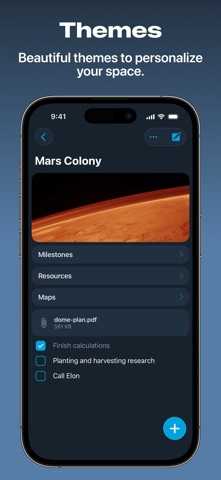
THEMES
Beautiful themes to personalize your space. Make the app feel like yours.
- PERFECT FOR -
- Shopping lists, grocery lists, daily checklists
- Quick notes, ideas, and thoughts
- Managing tasks and to-dos
- Organizing projects and personal knowledge
- Saving web links to read later
- Collecting recipes, travel plans, fitness tips
- Recording voice memos and meeting notes
- Keeping files and documents in one place
- Journaling and personal diary
- And much more
- UNIT PLUS -
A powerful free version is available for everyone. Upgrade to Plus to unlock:
- Unlimited blocks
- Advanced block types (audio, location, toggle)
- Passcode protection
- Save web pages offline
- Premium themes collection
- Unlimited uploads
- Unlimited devices
- Priority support
Unit is free. If you choose to upgrade to Plus, payment will be charged to your Apple account, and your account will be charged for renewal within 24 hours prior to the end of the current period. You can choose to be billed monthly or yearly. You can turn off auto-renew in your Apple ID Account Settings any time after purchase.
-
Join our community:
- Reddit: r/unitnotes
- Twitter: @unitnotes
- Email: support@unit.app
-
Terms of Service: https://unit.app/terms
Privacy Policy: https://unit.app/privacy