Noteful is your one-stop note-taking app to experience the new paperless revolution on iPad.
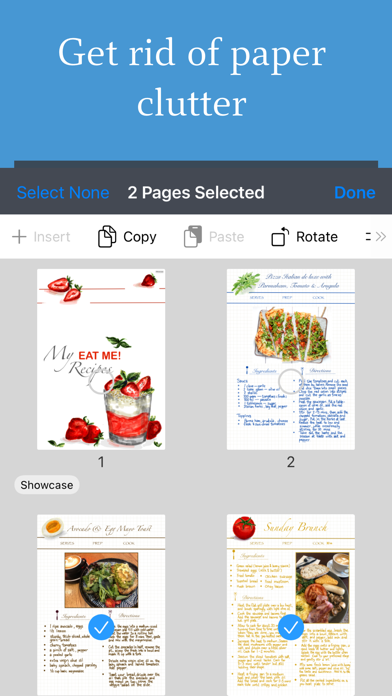
Perfect for annotating documents, taking class notes or even building your personal knowledge system. It is time to put aside the paper clutter, as Noteful is a versatile tool that helps you to accelerate your learning and knowledge work.
Take Beautiful Handwritten Notes
• Natural, fluid and precise handwriting experience
• Precise handwriting on iPad with Apple Pencil native support
• Custom-built ink engine InfiniteStroke that captures and converts your strokes into high-resolution vector ink
• 3 brushes available: ballpoint pen, fountain pen and highlighter
• Switch between pen sizes and colours
• Recognise geometrical shapes
Markup, Highlight, Annotate
• Import PDFs, MS Office documents to a notebook
• Add images, shapes and typed text to notes
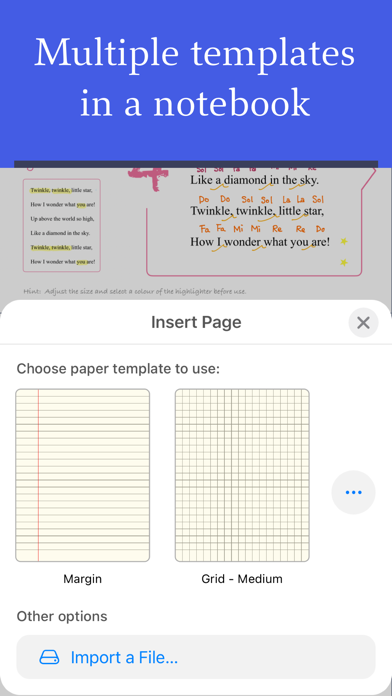
• Use multiple paper templates in a single notebook
• Export and share handwritten annotations as PDF
• Use Quick Create to create a new notebook for quick sketching
Powerful Tagging
• Organise quickly by tagging with #tag or even #nested/tag anywhere in notebooks
• More flexible than folders; Notes can be organised by subjects, by topics or by priorities
• Browse notebooks or pages by tags
• Rename, delete or re-assign tags to easily re-organise your library
Layers in Notebook
• Add annotation on separate layers without changing original content*
• Hide or show layers independently
• Rearrange layers
• Make it possible to composite complex layout*
All Your Notes, All the Time
• Sync to all your iPhone and iPad devices*
• Take textbooks, slides, handwritten notes and PDF documents with you wherever you go
• Notebooks synced with iCloud are encrypted via account-based keys
Powerful Editing
• Erase strokes with eraser
• Double tap on Apple Pencil to switch to eraser tool
• Move and resize annotations with lasso tool
• Unlimited undo, redo
• Support Split View for multitasking
Audio Record Notes
• Record audio while you take notes
• Audio playback position synced with the notes
Modern App Design
• A minimalist UI that maximizes content space
• Streamlined design that requires fewer taps for common functions
• Different orientations are available for the main toolbar
• A clean UI that lets you focus on note-taking and the content
We will be adding new features so please stay tuned for future updates.
—
Noteful is free to use without time limit but with certain features (marked with*) only available to users who upgrade to Noteful Pro via In-app purchase.
Noteful Pro is available for one-time purchase and the features will be unlocked forever.
—
If you have support questions or product suggestions, please contact us by support.
Wishing you happy note-taking!
Customer Support: support@getnoteful.com
Privacy Policy: https://www.getnoteful.com/privacy