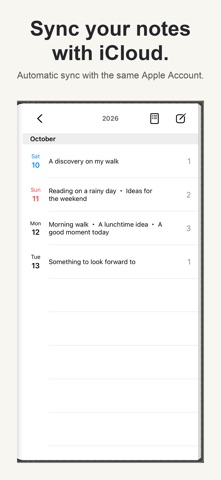
Keep daily notes and diary entries together on one page. Turn pages like a book and revisit your past entries.
Search, iCloud sync, and a passcode lock help you organize and access your notes. Core features are free; ad removal is a one-time purchase.
■ Your day on one page
See the notes and diary entries you write each day together on one page. Swipe or tap to turn pages and look back on everyday moments and memories.
■ Find past entries
Use the contents list or search to find a note you want to revisit. Change a note's date to record plans or past events.
■ Make reading and writing comfortable
Adjust the text size or use Dark Mode. Copy, print, or share your notes.
■ Protect access with a passcode
Lock access to your diary with a passcode. Face ID / Touch ID is available on supported devices.
■ Sync between devices with iCloud
With iCloud sync enabled, notes synchronize automatically between devices using the same Apple Account. iCloud sync is enabled by default for new installations. iCloud Drive and Notebook's iCloud access must be enabled, with available storage and a network connection. Synchronization may take time.
iCloud sync and device backups are separate features. Check your sync status and backups before changing devices.
■ Recover deleted notes
Recover notes within 30 days of deletion from Recently Deleted in Settings.
■ Remove ads with a one-time purchase
Core features are free. Premium removes ads with a one-time purchase, not a subscription. After changing devices, use Restore Purchases with the Apple Account used for your purchase.
Over 2 million downloads worldwide. Rated 4.7 out of 5 from over 21,000 ratings across all countries and regions (October 2026).
Capture your everyday moments, one page at a time.


 +3
+3