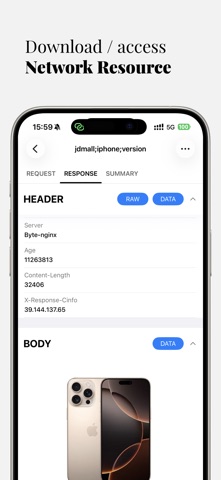
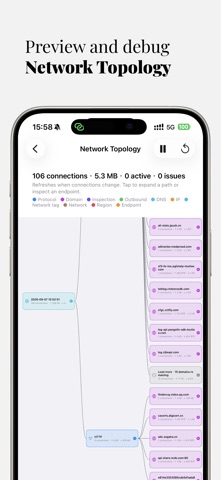
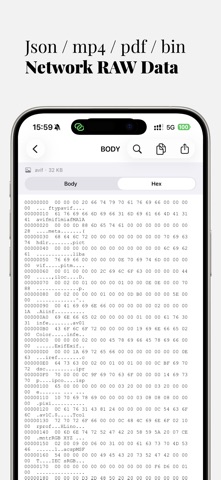
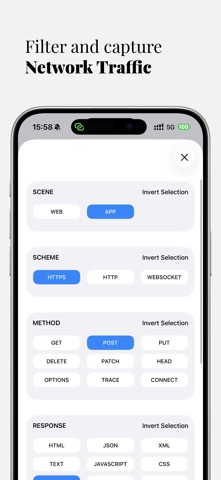
Network Sniffer is an intelligent network activity analyzer that helps you understand what your apps are really doing online.
No technical skills required — easily identify: Which apps are secretly connecting to the internet? Are they sending requests frequently in the background? Is your privacy at risk or data being wasted? You're no longer a passive user — you're in control.
Core Features (not limited to):
1. Deep Network Analysis: Visual reports showing which apps are connecting, what they are sending, how often, and whether there’s abnormal or wasteful activity.
2. Network Sniffing: Capture HTTP/HTTPS/WebSocket traffic on your iOS device, with full MITM support for encrypted traffic analysis.
3. External Proxy: Route device traffic through an external proxy server, enabling custom inspection, filtering, and debugging of network requests.
4. JavaScript Scripting: Create custom rules and behaviors using JavaScript to enhance and personalize your network inspection.
5. Request Replays: Resend captured requests to test app behavior under various conditions — ideal for debugging and performance testing.
6. Request/Response Rewrite: Modify headers and bodies of requests and responses on the fly, giving you unmatched control over data flows.
7. Client Proxy: Forward requests from other devices on your local network to this device for centralized debugging.
8. Upstream Proxy Support: Forward HTTP requests to a third-party proxy server for advanced testing or network routing scenarios.
9. Widgets & Dynamic Island Support: Monitor upload/download speeds and data usage in real time via homescreen widgets or the iPhone Dynamic Island.
Permissions
Network Sniffer requires VPN permission to function. This is only used for local traffic capture — no remote servers or proxying involved.
Privacy Notice
Network Sniffer does not upload any of your data and does not include any proxy, VPN bypass, or "scientific access" functions. Your data stays on your device.
If you have any feedback or questions, please feel free to contact us at miaozhi.ai@gmail.com