Seamless, Secure & Fast File Sharing – Anytime, Anywhere!
ShareKaro: File Sharing App makes transferring files across devices effortless. Send photos, videos, documents, and more with just one tap – no cables, no login, and no hassle! Whether you're sharing files between phones, tablets, or desktops, our app offers a secure, wireless, and smooth experience.
Key Features:
- Fast & Secure File Transfer – Instantly send and receive files over a private, encrypted connection.
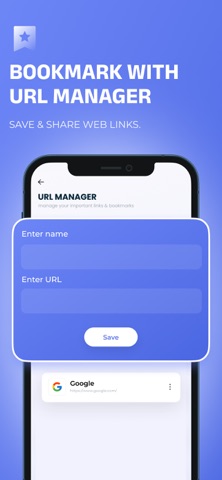
- Bookmark & URL Manager – Save and organize links with ease, so you never lose an important webpage.
- One-Tap File Send – No setup required! Just tap and share with nearby devices in seconds.
- Easy Photo & Video Sharing – Transfer high-quality images and videos without compression or loss.
- Scan & Share via QR Code – No need to enter details! Scan a QR code and start sharing instantly.
Experience lightning-fast, secure file sharing for work, photos, videos, or any other files. With ShareKaro, you can rely on high-speed transfers and advanced features to stay connected without limits.
For an uninterrupted experience, consider subscribing to access all app features without ads through an auto-renewing subscription available on a weekly, monthly, or yearly basis. Manage your subscription settings and turn off auto-renewal within your iTunes Account Settings after purchase, ensuring flexibility and control over your subscription.
Current subscription may not be canceled during the active subscription period; however, you can manage your subscription and/or turn off auto-renewal by visiting your iTunes Account Settings after purchase.
Read our full Terms of Service and our Privacy Policy at:
Link to Privacy Policy: https://sdappsstudio.blogspot.com/p/privacy-policy.html
Link to Terms of use: https://sdappsstudio.blogspot.com/p/terms-conditions.html