StoreIntel
AppsTop ChartsTrendingKeywordsMy Apps
Not affiliated with Apple Inc. App Store is a trademark of Apple Inc.Top chartsSupportTermsPrivacy

myCadillac

General Motors Company · Lifestyle · 16.0y old

Free
◆ ProTrack this app App Store

Performance · Worldwide

Est. downloads / month · WW

<5K

Below chart threshold

Est. revenue / month · WW

<$5K

Below chart threshold

Rating · WW

4.8★

163.9K ratings

Chart position

Rank history — US · Top Free

Apple's Top Free chart — free apps ranked by recent downloads.

Top FreeTop Grossing

Ratings count — US

163.9K
◆ Pro1 chart locked

See the numbers behind the rankings

  • Keyword RankingsWhich App Store searches it ranks for, and where
Unlock everything →

Listing

About

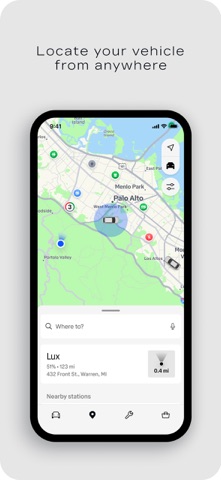
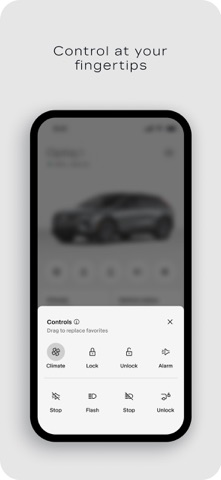
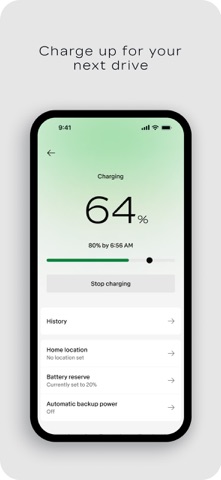
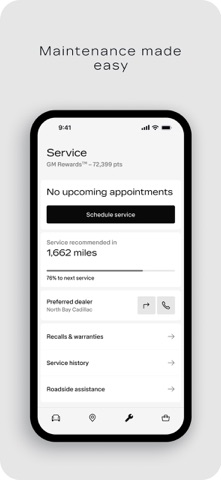
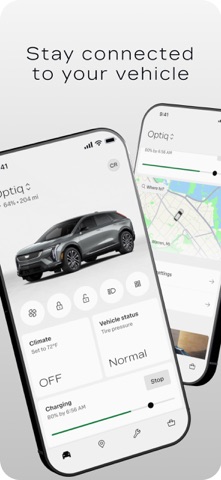
Stay connected to your Cadillac from the palm of your hand with the myCadillac app. Use your phone to locate your vehicle from anywhere, check its health, manage charging, prepare your cabin before you leave, and get help when you need it. Download the app that is always with you to make every drive easier. With the myCadillac app, you can: • Remotely start, lock, and unlock your vehicle. • Check fuel level, tire pressure, oil life, and more. • Set your preferred cabin temperature. • View charging status and locate charging stations. • Plan trips and navigate with maps. • Request help with Roadside Assistance. • Schedule service, find your dealership, and more. Disclosures: Mobile app functionality is available on select devices and requires data connection. Services availability, features and functionality vary by vehicle, device and the plan you are enrolled in. Roadside service availability and providers vary by country. Map coverage, features and functionality varies by country. See onstar.com for details and limitations.
Released
Oct 27, 2010
Category
Lifestyle
Content rating
17+
Price
Free
In-app purchases
No
Developer site
my.cadillac.com ↗
WW
US
GB
DE
JP
IN
BR

No chart data

No rank history yet for this selection.

Screenshots

8
myCadillac screenshot 1myCadillac screenshot 2myCadillac screenshot 3myCadillac screenshot 4myCadillac screenshot 5myCadillac screenshot 6myCadillac screenshot 7myCadillac screenshot 8