MX Video Player HD – All Format Video Player & Media Toolkit
MX Video Player HD is a complete, high-performance video player and media converter designed for iOS. It plays all your videos in high-definition, supports every popular video format, and gives you powerful tools like video editing, audio extraction, video reverse, and much more – all in one fast and easy-to-use app.
Whether you're watching downloaded movies, managing your personal video collection, or converting clips for social sharing, MX Video Player HD offers unmatched control and smooth playback with zero quality loss.
All-in-One Video Tools:
- Video Converter: Convert between formats like MKV to MP4, AVI to MOV, and more.
- Video to MP3: Extract audio from any video in high-quality MP3 format.
- Reverse Video: Create fun or creative reversed playback videos easily.
- Video Editor: Trim, cut, and merge videos with simple tools for quick edits.
- Compress Video: Reduce file size while maintaining quality – perfect for sharing.
Smart Video Player Features:
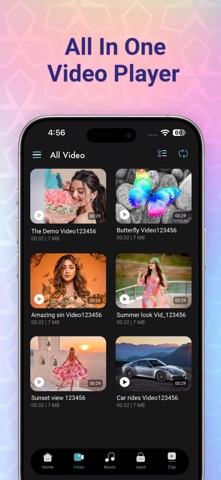
- Supports ALL formats: MP4, AVI, MKV, 3GP, FLV, MOV, WMV, MPG, TS, RMVB, etc.
- Full HD and Ultra HD (4K) playback without buffering
- Automatically scans all videos from device and SD card
- Organizes videos in folders for easy access
- Lock screen feature to prevent accidental touches while watching
- Swipe controls to increase/decrease volume, brightness, and seek position
- Options to change aspect ratio, zoom mode, and auto-rotation
- Quick load and resume playback where you left off
Extra Highlights:
Fast video loading and smart gesture support
Lightweight and smooth performance, optimized for iPhone and iPad
View videos by folder, format, or custom list
Privacy protection with screen lock and app lock features
Simple and beautiful UI for a great viewing experience
Bonus Entertainment:
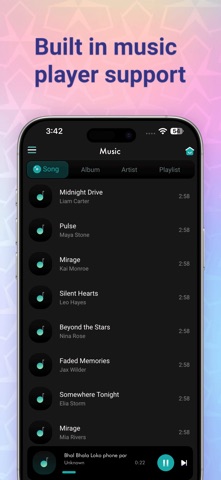
MX Video Player also brings you popular Bollywood movies, and action films directly in the app. Watch, organize, and enjoy HD content on the go.
Whether you're at home or traveling, MX Video Player is your entertainment companion — powerful, reliable, and built for all types of users.
Subscription Info:
Subscribe to unlock premium features: Video Converter, MP3 Extractor, Editor tools, and more
Choose from weekly, monthly, or yearly plans
Payment will be charged to your iTunes account at confirmation
Auto-renews unless canceled 24 hours before end of billing period
Manage subscriptions in iTunes Account Settings
[Terms of Use]
https://skyinfotechdeveloper.com/terms_mxhd.html
[Privacy Policy]
https://skyinfotechdeveloper.com/policy_mxhd.html
MX Video Player HD is your all-in-one tool for watching, editing, and converting videos on iOS. Download now and experience the ultimate media player app – free and powerful.