Run Claude Code, Codex, and AI agents from your iPad or iPhone — without being tied to a desk.
MTerm is a professional SSH client and iOS terminal emulator built specifically for AI-driven remote development. If you need serious developer tools on mobile, MTerm delivers a stable, persistent, and fully featured terminal environment for modern workflows.
Designed for developers who manage Linux, Mac, and cloud servers, MTerm combines a powerful SSH terminal, remote IDE, workspace persistence, and AI-focused tooling into one seamless experience.
PERFECT FOR DEVELOPERS WHO
- Run Claude Code, Codex, or other AI CLI tools remotely
- Search for a professional SSH client for iPad or iPhone
- Need a reliable iOS terminal emulator
- Work in remote development environments
- Manage servers via SSH daily
- Build AI-driven workflows on the go
MTerm is optimized for uninterrupted AI coding and serious remote development.
――――――――――――
AI DEVELOPMENT WORKSPACE
- Integrated SSH terminal + remote IDE + prompt manager
- Multi-window and multi-pane support for parallel AI workflows
- Workspace saving with CMD + S
- Restore native pane layouts instantly on reconnect
- Built for long-running development sessions
PERSISTENT SSH SESSIONS
- Keep SSH sessions alive when switching apps
- Designed for sustained remote development
- Active sessions visible in Notification Center
- Monitor running sessions with Live Activities
ADVANCED SSH CLIENT
- Password, SSH Key, and Keychain authentication
- Jump Host (bastion) support
- Local and Remote Port Forwarding
- Secure, stable connections for Linux, macOS, and cloud servers
- Mosh support for resilient connections on unstable mobile networks
MTERM PLUGIN SYSTEM
- Extend terminal capabilities with MTerm Plugins
- Integrate your Mac or remote server environment
- Session persistence powered by abduco
- Reconnect to long-running terminal sessions safely
- Display the current Git branch directly in the terminal footer
SNIPPETS & CLIPBOARD HISTORY
- Save commands and code as reusable snippets
- Quickly paste from clipboard history
- Ideal for repetitive development and AI prompt workflows
ENHANCED AI PROMPT INPUT
- Attach images and files directly in the prompt editor
- Optimized for Claude Code and AI CLI usage
- Seamless integration with the SSH terminal
MULTI-PANE & TAB MANAGEMENT
- Native split-view terminal emulator
- Connect to multiple servers simultaneously
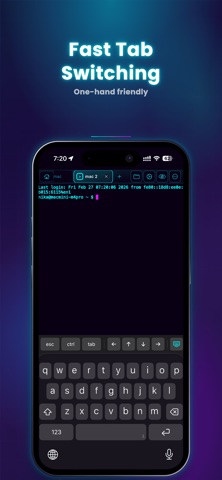
- Organize sessions with tabs
- Independent layouts per tab
- Vertical tab mode for better session navigation
- Unlimited panes (Pro)
CUSTOMIZABLE ACCESSORY BAR
- Configure shortcut buttons in the software keyboard toolbar
- Improve command efficiency without external tools
- Designed for fast command input on touch devices
BUILT-IN REMOTE EDITOR (Pro)
- Edit code, JSON, and Markdown directly on remote servers
- Designed for uninterrupted development
IMAGE PREVIEW (Pro)
- Instantly preview files
- Useful for reviewing AI-generated assets
FULL CJK & IME SUPPORT
- Accurate rendering for Japanese, Chinese, and Korean text
- Full IME input compatibility
- Stable long-form text input in terminal environments
MAGIC KEYBOARD & HARDWARE KEYBOARD SUPPORT
- Full keyboard shortcuts
- Optimized for professional iPad development
- Turn your iPad or iPhone into a serious developer workstation
――――――――――――
MTerm is not just another SSH client.
It’s an AI-focused iOS terminal built for real remote development.
Advanced features are unlocked with Pro.
Privacy Policy: https://mterm.app/en/privacy
Terms of Use: https://www.apple.com/legal/internet-services/itunes/dev/stdeula/