StoreIntel
AppsTop ChartsTrendingKeywordsMy Apps
Not affiliated with Apple Inc. App Store is a trademark of Apple Inc.Top chartsSupportTermsPrivacy

Movia AI: Photo to Video Maker

DEEP LINK META LIMITED · Photo & Video · 1.2y old

▲ Best #57FreeSubscriptions
◆ ProTrack this app App Store

Performance · Worldwide

◆ Pro

Downloads & Revenue estimates

Monthly, by storefront, with daily history

Unlock →

Rating · WW

4.1★

5.4K ratings

Chart position

Rank history — US · Top Free

Apple's Top Free chart — free apps ranked by recent downloads.

Top FreeTop Grossing

Ratings count — US

4.1K

Listing

About

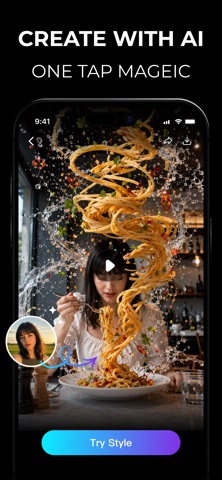
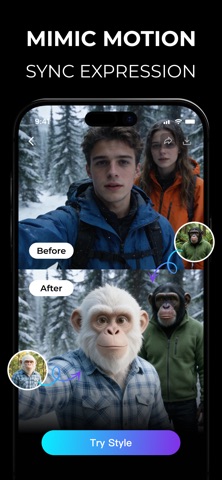
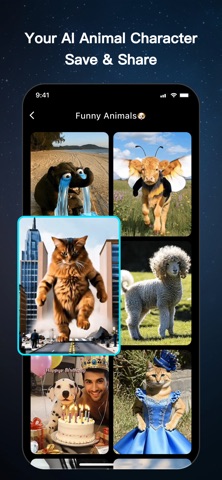
Turn Photos into exclusive Animations! Movia is the ultimate AI tool that turns your static images into lively video clips. Whether it's a funny pet photo or a memorable snapshot, Movia brings it to life with natural motion and stunning effects. No video editing skills needed! Photo to Video Magic Instantly convert any still picture into a high-quality video loop. Our advanced AI engine analyzes your photo and adds realistic movement in seconds. Create Viral Content AI Motion: Make character

Released
Aug 21, 2025
Category
Photo & Video
Content rating
17+
Price
Free
In-app purchases
Subscriptions
Developer site
movia-portal.aiportrait.top ↗
WWUSGBDEJPINBR

#73latest · best #52 in 90d

◆ Pro4 charts locked

See the numbers behind the rankings

  • Daily RevenueModeled in-app revenue per day, worldwide or by storefront
  • Daily DownloadsModeled installs per day, with the monthly trend
  • Top MarketsWhere it charts and earns, country by country
  • Keyword RankingsWhich App Store searches it ranks for, and where
Unlock everything →

Screenshots

8
Movia AI: Photo to Video Maker screenshot 1Movia AI: Photo to Video Maker screenshot 2Movia AI: Photo to Video Maker screenshot 3Movia AI: Photo to Video Maker screenshot 4Movia AI: Photo to Video Maker screenshot 5Movia AI: Photo to Video Maker screenshot 6Movia AI: Photo to Video Maker screenshot 7Movia AI: Photo to Video Maker screenshot 8