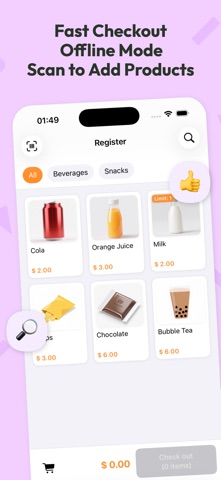
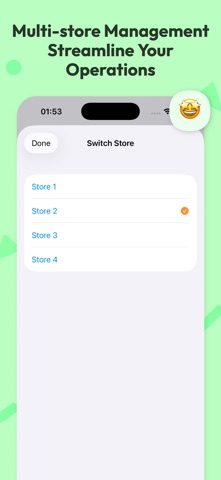
Mochi POS is a versatile point-of-sale and business management tool designed specifically for small shops, dining, and pop-up stalls. Operating entirely offline, it automatically calculates totals and change while supporting complex promotional rules. Whether you're running a charming local shop, a bustling restaurant, or a high-traffic night market, Mochi POS provides a seamless and efficient checkout experience. Supports connecting to receipt printers and label printers. Introducing the AI Business Assistant—review your business performance as easily as chatting. (Note: This feature is currently in Beta and requires a compatible device with Apple Intelligence enabled.)
Core Highlights
- Minimalist Checkout: Tap-to-select, barcode scanning, and automatic pricing for multiple variations. Speed up your sales and eliminate long queues.
- Business Insights: Built-in powerful analytics and reports to provide deep insights into your sales trends.
- Receipt Printing: Connect via Bluetooth or Network to print receipts with fully customizable layouts.
- Label Printing: Connect to Bluetooth label printers, ideal for milk tea and coffee shops.
- Privacy & Security: Your data stays offline. No registration or login required. Supports iCloud backup and multi-device synchronization.
- Product Management: Organize items by category, barcode, and variations. Includes inventory management with bulk import support for maximum efficiency.
- Promotions & Discounts: Supports various rules including flat discounts, percentage off, and tiered pricing—all calculated automatically at checkout.
- Tax Settings: Supports setting up multiple tax groups, adaptable to the tax policies of different product types and industries.
- Data Export: Export your data to CSV for stress-free financial auditing and bookkeeping.
- Customer Management: Build customer profiles and customize membership tiers and loyalty point rules.
Applicable Scenarios
Convenience Stores, Grocery Stores, and Boutiques: Supports fast barcode scanning, real-time inventory tracking, and flexible discount settings, making daily operations efficient and well-organized.
Coffee Shops and Tea Shops: Smoothly handles peak-hour ordering and supports customizable product specifications such as ice levels and sweetness.
Restaurants: Simplifies the ordering and payment process. Built-in intuitive sales reports help you identify best-selling items and profit trends at a glance. Supports Bluetooth or network receipt printers to improve food preparation efficiency.
Market Vendors: Conduct transactions anytime, anywhere without relying on an internet connection.
Terms of Use (EULA): https://www.apple.com/legal/internet-services/itunes/dev/stdeula