StoreIntel
AppsTop ChartsTrendingKeywordsMy Apps
Not affiliated with Apple Inc. App Store is a trademark of Apple Inc.Top chartsSupportTermsPrivacy

Mobile OCR Scanner-PDF Scan

Ramalingam Sivaramakrishnan · Shopping · 10.3y old

Free
◆ ProTrack this app App Store

Performance · US

Est. downloads / month · US

<5K

Below chart threshold

Est. revenue / month · US

<$5K

Below chart threshold

Rating · US

—

no ratings yet

Chart position

Rank history — US · Top Free

Apple's Top Free chart — free apps ranked by recent downloads.

Top FreeTop Grossing

Ratings count — US

0
◆ Pro1 chart locked

See the numbers behind the rankings

  • Keyword RankingsWhich App Store searches it ranks for, and where
Unlock everything →

Listing

About

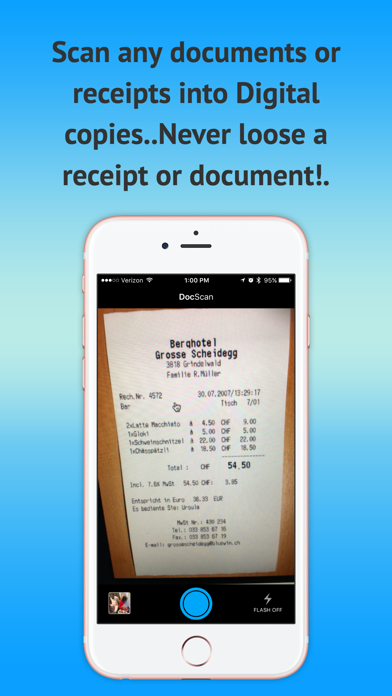
Mobile OCR Scanner-PDF Scan turns your iPhone and iPad into a portable scanner. Effortlessly scan any paper document, from receipts to multi-page contracts, and save them as clear, high-quality images or PDFs. Our app automatically detects borders, corrects distortion, and optimizes your scans for a sharp, professional look. Use the powerful OCR (Optical Character Recognition) feature to extract text from your documents for easy editing and sharing. With support for a wide range of cloud services, sharing your scans has never been simpler. Key Features: Mobile Scanner: Use your camera to scan documents, notes, business cards, and more. Optimize Scan Quality: Smart cropping and auto-enhancement make every scan look perfect. OCR Text Recognition: Extract text from any scan for easy copying and sharing. Share Files: Easily share your documents in PDF or JPEG format via email, social media, or cloud services. Download Mobile OCR Scanner-PDF Scan today and get the best scanning solution right in your pocket.

Released
Jul 14, 2016
Category
Shopping
Content rating
4+
Price
Free
In-app purchases
No
Developer site
playful-souls.com ↗
WWUSGBDEJPINBR

No chart data

No rank history yet for this selection.

Screenshots

5
Mobile OCR Scanner-PDF Scan screenshot 1Mobile OCR Scanner-PDF Scan screenshot 2Mobile OCR Scanner-PDF Scan screenshot 3Mobile OCR Scanner-PDF Scan screenshot 4Mobile OCR Scanner-PDF Scan screenshot 5