StoreIntel
AppsTop ChartsTrendingKeywordsMy Apps
Not affiliated with Apple Inc. App Store is a trademark of Apple Inc.Top chartsSupportTermsPrivacy

Microsoft SwiftKey AI Keyboard

SwiftKey · Utilities · 12.1y old

Free
◆ ProTrack this app App Store

Performance · Worldwide

◆ Pro

Downloads & Revenue estimates

Monthly, by storefront, with daily history

Unlock →

Rating · WW

4.6★

122.8K ratings

Chart position

Rank history — US · Top Free

Apple's Top Free chart — free apps ranked by recent downloads.

Top FreeTop Grossing

Ratings count — US

121.7K

Listing

About

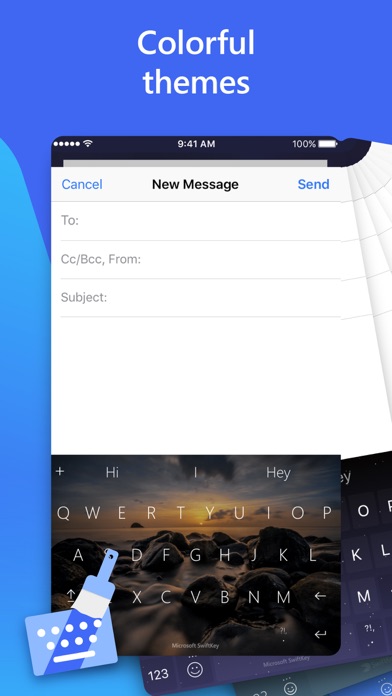
Microsoft SwiftKey is the intelligent keyboard that learns your writing style, so you can type faster. Microsoft SwiftKey is always learning and adapting to match your unique way of typing - including your slang, nicknames and emojis. That means autocorrect that actually works and helpful predictions, so you can get your point across fast, without errors. Customise your keyboard to match your style, with dozens of themes to choose from. Send emojis, GIFs and more to your friends – Microsoft SwiftKey even learns your favourite emoji. Let Microsoft SwiftKey help you text faster with Artificial Intelligence, swipe-to-type and more! Download today. TYPE LESS, DO MORE Intelligent Keyboard - Microsoft SwiftKey learns from you, including your word choice, emoji usage and more - Swipe typing or tap-to-type, whichever you prefer - Toolbar: the expandable menu filled with quick shortcuts

Released
Sep 17, 2014
Category
Utilities
Content rating
4+
Price
Free
In-app purchases
No
Developer site
microsoft.com ↗
WWUSGBDEJPINBR

No chart data

No rank history yet for this selection.

◆ Pro4 charts locked

See the numbers behind the rankings

  • Daily RevenueModeled in-app revenue per day, worldwide or by storefront
  • Daily DownloadsModeled installs per day, with the monthly trend
  • Top MarketsWhere it charts and earns, country by country
  • Keyword RankingsWhich App Store searches it ranks for, and where
Unlock everything →

Screenshots

8
Microsoft SwiftKey AI Keyboard screenshot 1Microsoft SwiftKey AI Keyboard screenshot 2Microsoft SwiftKey AI Keyboard screenshot 3Microsoft SwiftKey AI Keyboard screenshot 4Microsoft SwiftKey AI Keyboard screenshot 5Microsoft SwiftKey AI Keyboard screenshot 6Microsoft SwiftKey AI Keyboard screenshot 7Microsoft SwiftKey AI Keyboard screenshot 8