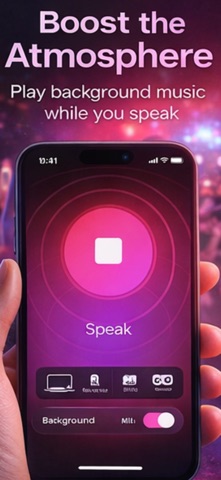
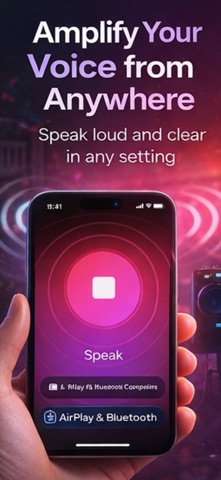
Turn your iPhone into a wireless mic and stream your voice to any Bluetooth speaker or AirPlay device in real time. No extra equipment — just connect and speak.
Mic to Speaker transforms any Bluetooth speaker into a powerful PA system, karaoke machine, or voice amplifier. Whether you're making announcements, hosting a party, singing karaoke, or giving a presentation — your voice reaches everyone through any connected speaker.
KEY FEATURES:
WIRELESS BLUETOOTH MICROPHONE — Use your iPhone as a wireless mic. Connect to any Bluetooth speaker or AirPlay device. Crystal-clear real-time audio.
VOICE AMPLIFIER & MEGAPHONE — Amplify your voice through any speaker. Portable PA system for announcements, speeches, classrooms, events.
VOICE CHANGER & EFFECTS — Robot voice, cave echo, echo effect — all live through your speaker.
KARAOKE MIC — Host karaoke nights with voice effects through any Bluetooth speaker.
PA SYSTEM — Announcements at events, conferences, gatherings. No expensive sound system needed.
PERFECT FOR: Karaoke parties, presentations, classroom teaching, event hosting, weddings, tour guides, fun with voice effects.
FREQUENTLY ASKED QUESTIONS:
Q: How do I use my iPhone as a wireless microphone?
A: Open the app, connect your Bluetooth speaker or AirPlay device, and speak. Your voice streams live through the speaker.
Q: Does it work with all Bluetooth speakers?
A: Yes! Compatible with all Bluetooth speakers and AirPlay devices — JBL, Bose, Sony, Marshall, HomePod.
Q: Can I use voice effects in real time?
A: Yes. All voice changer effects (robot, echo, cave) work live as you speak or sing.
Q: Is there audio delay?
A: Low-latency audio processing. AirPlay delivers the best real-time performance.
Q: Can I use it for karaoke?
A: Absolutely! Connect a Bluetooth speaker and use your iPhone as a karaoke mic with voice effects.
Q: Does it work as a megaphone or PA system?
A: Yes. Amplify your voice for announcements, speeches, events — a portable wireless PA system.
Q: Can I use it for presentations?
A: Perfect for amplifying your voice at meetings and lectures without expensive audio equipment.
Q: How is this different from other mic apps?
A: This app streams voice directly to any Bluetooth speaker with real-time voice changer effects. Most mic apps only record — this one amplifies live.
Download now and turn any speaker into your personal stage!
Mic to Speaker: Microphone plans:
Weekly: $5.99/week
Yearly: $34.99/year
Payments and Renewal:
Payment will be charged to iTunes Account at confirmation of purchase. Subscription automatically renews unless auto-renew is turned off at least 24-hours before the end of the current period.
Account will be charged for renewal within 24-hours prior to the end of the current period.
You can manage or turn off auto-renew in your Account settings at any time after purchase
No cancellation of the current subscription is allowed during the active period.
Terms of use: https://www.apple.com/legal/internet-services/itunes/dev/stdeula/
Privacy policy: https://docs.google.com/document/d/1aSy-rxfm30gsDJ2mdU9q4sE9j7vbgV6dNvXsxcZ44Sg/