Private visual notes for iPad. Build mind maps on an infinite canvas, study with FSRS flashcards, and sync through your private iCloud storage — no account required.
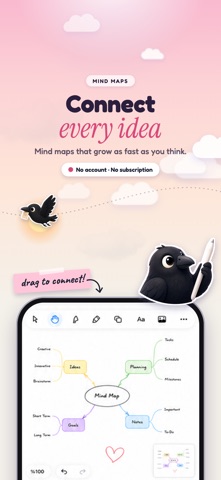
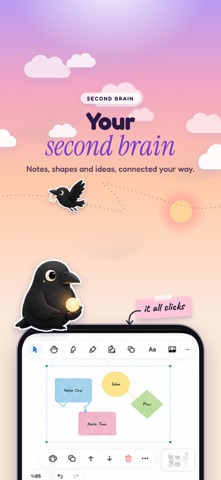
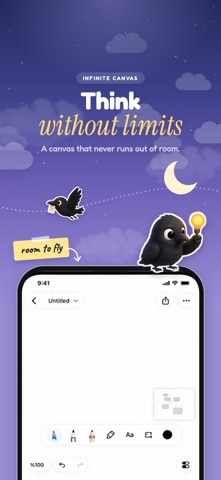
Mena is an infinite canvas and visual second brain for iPad. Sketch ideas, build mind maps, embed media, and turn any board into spaced-repetition flashcards you actually review — no account required.
INFINITE CANVAS
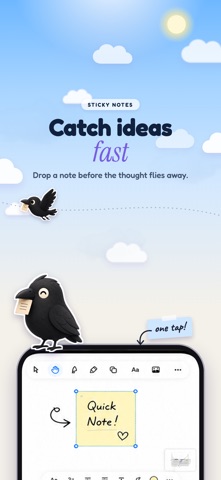
Pan, zoom, and draw with no page limits. Pastel sticky notes, shapes and connectors for mind maps and flowcharts, frames, tables, and 19 polygon shapes. Apple Pencil support with Draw to Shape — sketch a rough shape and Mena snaps it perfect.
EVERY KIND OF CONTENT
Drop anything onto your board: sticky notes, rich text and Markdown, code blocks with syntax highlighting, images, PDFs with full page navigation, video, audio files, and live maps. Record voice memos directly on the canvas — ink drawn during recording is seekable by playback time. Web embeds and URL preview cards keep sources right where you need them.
PAPER TEMPLATES
Note pages come in blank, lined, dotted, and grid. Change one page or every blank page at once, and choose auto, light, or dark paper independently of your system theme. The same page renders identically in the reader, sidebar, overview grid, library thumbnail, and exported PDF.
STUDY WITH FSRS
Turn any deck board into spaced-repetition flashcards. Mena uses FSRS — the most accurate scheduling algorithm available — to surface cards exactly when you need them. Again / Hard / Good / Easy grading with interval preview. Cloze deletion with one tap. Auto-generate flashcards from your notes on-device, no network needed.
STUDY DASHBOARD
Track your streak, retention rate, and 14-day due forecast. See today's review count at a glance.
ANKI COMPATIBLE
Import any .apkg file directly. Mena imports your cards, scheduling data, embedded images, and cloze deletions. Export any deck back as .apkg and study it in Anki on any device.
SLIDES & PRESENTATION
Draw a frame around anything and it becomes a slide. Open the filmstrip panel, jump to any slide, present full-screen, or export the whole deck as a crisp PDF.
6 BOARD TYPES
Board — infinite whiteboard. Note — vertical scroll page. Journal — one auto-created page per day. Atlas — a spatial map of all your boards. Collection — a live saved query across all boards. Deck — FSRS study deck with review session.
HOME SCREEN WIDGETS
4 widget types for home screen and lock screen: New Board (one-tap creation), Board Preview (live thumbnail of any board), Today's Study (due count, streak, retention), and Deck (per-deck stats). All fully configurable.
SHARE FROM ANYWHERE
A share extension catches text, links, images, PDFs, and videos from any other app — tap Share → Mena, pick a board, done.
PRIVATE iCLOUD SYNC
Every board, element, and attachment syncs across your Apple devices through your private iCloud CloudKit database. No Mena account. No third-party cloud server stores your Mena content. Flashcard generation runs on-device. Optional web embeds and Unsplash search connect only when you choose to use them.
Mena fits how your brain actually works — capture, connect, and remember.
FREE & PRO
Free covers 3 boards, 3 notes, 3 documents and 5 decks; journals and system boards are never limited. Mena Pro lifts every limit — Pro Monthly and Pro Yearly renew automatically, Pro Lifetime is a one-time purchase. Prices appear in the app before you buy, and you can restore purchases at any time.
Privacy Policy: https://apps.cihat.dev/mena/privacy-policy/
Terms of Use: https://www.apple.com/legal/internet-services/itunes/dev/stdeula/