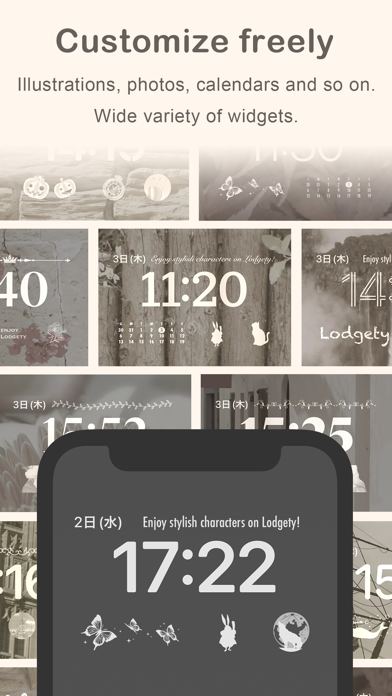
Lodgety(ロジェッティ) is an application that allows you to customize the widget on your lock screen.
Using Lodgety, you can design your lock screen in style!
Lodgety allows you to decorate your lock screen with your favorite photos or cute illustrations, or set up an image which is switched by time and enjoy changing the lock screen.
◆With a Lodgety widget you can:
- Display photos in the device on the lock screen.
- Make a slideshow switching your photos automatically.
- Display sweet illustrations on the lock screen.
- Display Time animation which is switched by time automatically.
- Create widgets by size.
◆Widget size
Lodgety is compatible with those sizes of devices as below.
・2x1:The size of two app icons
・1x1:The size of one app icon
・HEAD:The size of the horizontal layout on the top of a clock on a lock screen.
【How to create】
1. Select a widget size from the bottom button.
2. Select the type of widgets you want to create.
3. Choose your favorite design like a photo or an illustration.
4. The widget is created in the app.
【How to set up】
1.Open Setting app and tap “Wallpaper” -> ”Add New Wallpaper".
2.Choose a wallpaper you want to add and tap it.
3. Tap the box above or below the time, then “ADD WIDGETS” or “Choose Widget” will be shown.
4. Tap “Lodgety” and a size only shown for the box below the time.
5. An empty widget will be created.
6. Tap the empty widget and select the one you want to set.
7. The settings have been completed.
8. Tap Done.
If there’s not enough room for a new widget, you can tap the Remove button to remove a widget and make room for the one you want to add.
For more details, please see the “How to use” page in the app.
Terms of Service
https://media-teams.com/lodgety/terms.html