360 is the only app that lets you create your very own "live" 360 degrees photos and panoramic with sound.
360 has been featured by Apple as New & Noteworthy in the US and other AppStores for its release.
Just touch the camera button to start the shooting, and rotate slowly. The app will automatically stop the shooting once you have done 360 degrees, and create a big 360 spherical photo. Touch the camera button before the 360 degrees rotation if you want to create a "live" panoramic photo.
You can use the front camera to create a 360 portrait with the background behind you.
Moreover, you can also take a 360 degree photo of an object by turning clockwise around it.
360 can shoot in both portrait and landscape orientations.
To render the 360 photos even more realistic, the sound is recording during all the duration of the shooting!
Watch your 360 photos by simply swiping your finger on it, or by using your device gyroscope and turning around. And it works in both landscape and portrait!
See on the map where were shot your 360 photos.
360 provide you with a full control over the camera; touch to focus, double touch to exposure, pinch to zoom. Adjust the focus and exposure while shooting to ensure high quality 360 photos.
Special features:
Capture:
-full control of the camera
-switch between the front and rear camera
-adjust the focus and exposure while shooting
Gallery
-map showing where were shot the 360 photos
-share your 360 photos by email
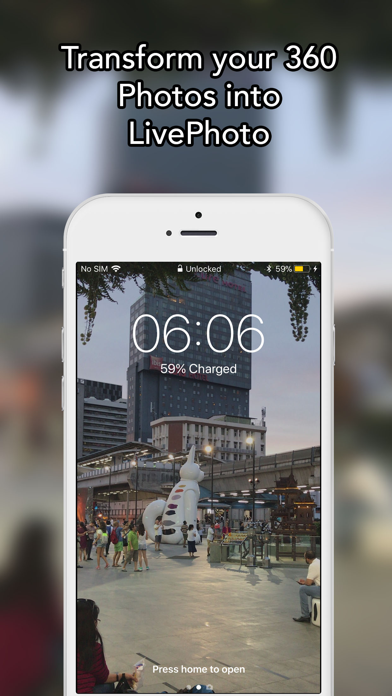
-transform them into LivePhotos
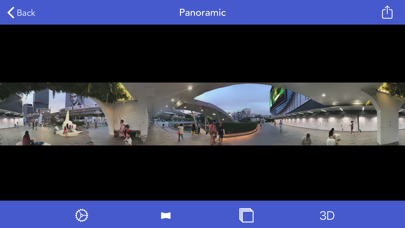
-transform them into panoramics (requires the iOS 13)
-transform them into videos
-rename them
-delete their sound tracks
-delete them
Display
-swipe your finger left/right to see the 360photos, or use your device gyroscope to browse the 360 Photos by turning around
-export the sound track by email
-access to all the photos composing the 360 photo
Photos
-save a photo, or several, in the photo library
-send a photo, or send several at once by email
Settings
-define the direction of the rotation: trun left or right
-decide to record the sound while shooting
-tutorial
-Download the free app to view your 360 photos on your mac at www.SEB-AppStore.com
Also try 360Viewer to view for free 360 photos on your iPhone (samples are included inside the app).
If you have suggestions, comments or issues, just drop us an email at support @SEB-AppStore.com.
Check out many other great iPhone apps at www.SEB-AppStore.com
For a professional version of 360, contact us at contact@SEB-AppStore.com