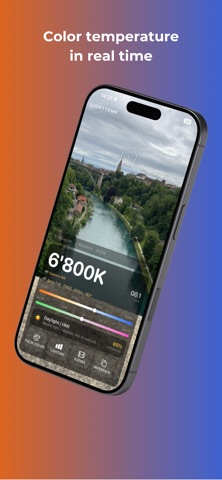
LightTemp turns your smartphone into a professional on-set tool: measure light, understand it, and keep it consistent across the whole shoot – no expensive hardware required.
Built by a filmmaker, for filmmakers.
◆ REAL-TIME KELVIN & TINT
Point your camera at a light source and instantly read color temperature (Kelvin) and green-magenta tint. Tap the image to measure that exact spot (double-tap = center). Perfect for scouting and quick lighting checks.
◆ CAMERA WB RECOMMENDATION
LightTemp tells you exactly what to dial into your camera – the measured value IS your white balance.
◆ LIGHTING RATIO (LIGHTING DESIGN)
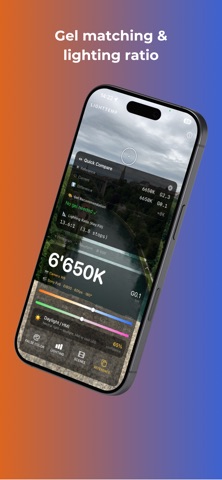
Measure Key, Fill, Back and Background one by one – the app computes the contrast ratios in stops (e.g. 4:1). Turn "reading a number" into "designing your lighting".
◆ GEL CALCULATOR
Pick source + target white point – the app calculates the right CTO/CTB gel using real mired math, including combining large corrections.
◆ SHOOT SETUP & SHOT MATCH (CONTINUITY)
Set your cine camera once (model, EI, fps, shutter angle). Save each scene as a full snapshot – Kelvin, tint, lighting ratio, flicker note and your camera values – and reproduce the lighting exactly on the next shooting day. Export as PDF.
◆ CONTINUITY RADAR
Anchor the current light and the app warns you – with a banner and haptic – the moment color temperature or tint drifts, with a correction tip to get back. Keeps your look consistent across takes.
◆ MULTI-POINT DEVICE CALIBRATION
Calibrate LightTemp with several reference points into a precise correction curve – maximum accuracy on your exact device.
◆ AUTOMATIC LIGHT SOURCE DETECTION
Recognizes Tungsten, LED, HMI, daylight, candlelight or fluorescent – including a flicker warning (banding risk).
◆ PRO SCOPES
• Histogram – brightness distribution
• Waveform – luminance across the image width
• RGB Parade – red/green/blue separately for a quick white-balance check
◆ FALSE COLOR & ZEBRA
Exposure overlays like on professional monitors – correct skin tones, clipping and overexposed areas at a glance. Plus a live exposure assistant.
◆ GOLDEN & BLUE HOUR
Calculates the sun's position from your location with a countdown to the next phase – for scouting.
◆ MORE TOOLS
• Live camera data: ISO, shutter, aperture, FPS
• Pinch-to-zoom • Freeze to lock the value
• Customizable tool bar
• Kelvin alarm (vibrates at target value)
• Four languages: English, German, French, Spanish
PRIVACY
All data stays on your device. No accounts, no tracking, no ads.
Note: Accuracy depends on your device's camera; use the calibration for best results. LightTemp is an assistive tool and does not replace a calibrated hardware light meter for the most demanding use.