Make the music visible, and turn your iPhone into the retro audio display your stereo deserves.
LaZ Visual EQ is a full-screen, microphone-driven sound visualizer with a refreshingly simple deal: no subscription, no signup, and no tracking. Open it, set your iPhone near your speakers, and watch the room come alive.
BUILT LIKE AUDIO GEAR, NOT A VIDEO EDITOR
This is a love letter to glowing meters, falling peaks, bouncing needles, chunky LEDs, weird dashboards, and the stereos we never should have thrown away. Swipe through seven live displays:
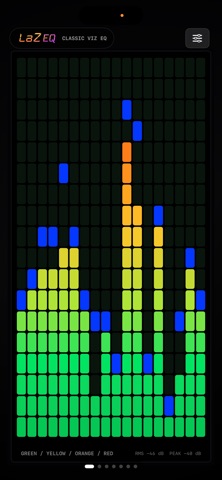
• Classic green-to-red spectrum bars with falling blue peaks
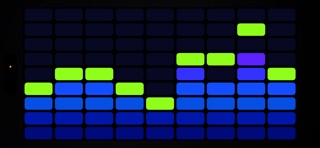
• A cool blue-and-purple spectrum display
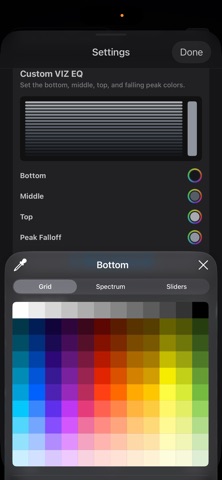
• Custom VIZ EQ with your own colors
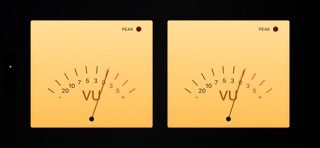
• Two distinct analog-style VU meter designs
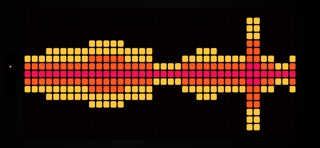
• Bold VOX-style block lights
• An interactive 1995 car-stereo faceplate with working buttons, 8 of its own unique visualizers, an animated power-up sequence, presets, and hidden surprises ... an homage to an era of car audio long past
THE GOOD KIND OF TWEAKABLE
Tune visualizer sensitivity and VU Drama. Add Jiggle when the music needs more movement. Switch on CHONK-O-VIZ™ for oversized spectrum blocks. Use Jeep Mode to tame wind, road rumble, fans, and other noisy environments. View in portrait or landscape; in landscape, tap to embiggen. Optionally keep the screen awake for longer listening sessions.
MADE FOR WHERE MUSIC HAPPENS
Make LaZ Visual EQ part of the listening ritual. Drop the needle, set your iPhone beside the speakers, and watch the meters bring your turntable setup to life. Use it while streaming to nearby AirPlay or Bluetooth speakers, or take it to concerts, festivals, house parties, DJ booths, record rooms, garages, car meets, backyard hangs, and late-night listening sessions. If the mic can hear the music, LaZ can make it move.
YOUR MIC. YOUR MUSIC. YOUR PHONE.
LaZ Visual EQ does not collect your data. Microphone audio is processed on your iPhone only to animate the displays. It is never recorded, saved, uploaded, or used for tracking. The mic stops when the app closes or moves to the background.
HOW IT HEARS THE MUSIC
LaZ Visual EQ listens to the room through your iPhone microphone. It does not tap protected audio directly from Apple Music, Spotify, YouTube, or other apps. That does not mean those players are off-limits. Send the music to nearby AirPlay or Bluetooth speakers, a stereo, TV, receiver, or any other speaker the iPhone mic can hear, and LaZ can absolutely visualize it. Set your iPhone near the sound and let the room do the rest. CarPlay and playback through the iPhone’s own speaker are not supported.
One download. No recurring bill. Just the mic and the music.