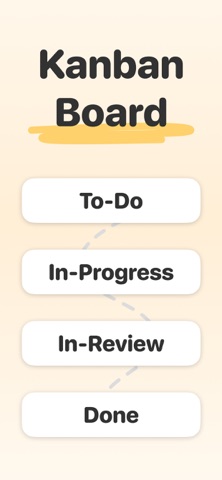
Kanban is a modern task and project manager for teams and individuals. With a beautiful interface, managing your tasks is an immersive experience. In addition, you can place and observe your to-do lists and kanban boards in your room using Augmented Reality.
KEY FEATURES:
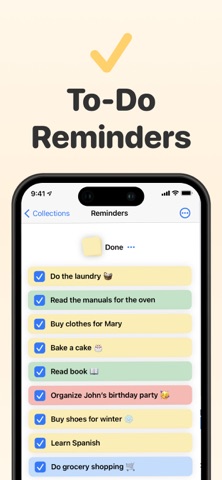
- Templates: You can organize your tasks in a to-do and kanban template, or you can create one from scratch.
- Tasks: With multiple color options you can create compelling tasks.
- Reminder & deadline: Assign deadlines and reminders to tasks to never forget them.
- Priorities: You can add the following priorities to the tasks: none, low, medium and high.
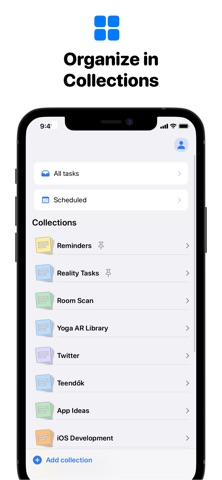
- Collections: You can organize your thoughts in collections and subcollections to observe them clearly.
- Augmented Reality: Place the created cards on your wall to have an immersive experience. With the help of RealityKit, the cards are incredibly realistic. In addition, you can create images of the tasks and share them with your team or family.
- Gestures: Use simple drag and drop gestures to move tasks between the subcollections or to reorder them.
- Dark/Light mode: The app supports a beautiful dark and light mode.
- Collaborate: Share Collections with your teammates to collaborate on a project.
- SharePlay support: Collaborate and brainstorm using SharePlay! It opens a whole new collaboration experience via FaceTime.
- Cloud Sync: All of your data is synced across all of your devices.
- iOS, iPadOS, and macOS optimization: The experience and the interface of the app are designed and optimized for all platforms.
- Widgets: Use widgets in all three sizes to see your tasks at a glance.
- Markdown: With markdown, you can easily format text for your tasks.
- Integration with Reminders: you can import your tasks from Reminders.
- Integration with Siri & Shortcuts: use Siri and Shortcuts to easily create tasks or open a collection.
The app is continuously evolving with new features for an even better experience! With delightful interactions and beautiful design, Kanban is a great choice. Install the app today to get more productive in completing your projects and tasks!
Kanban Premium:
With Kanban Premium you can create unlimited tasks with reminders and deadlines. In addition, you can share and collaborate on projects.
Kanban Premium is available as a monthly or yearly subscription. Kanban will automatically charge your iTunes Account at the end of your subscription unless the auto-renew is turned off at least 24 hours before the end of your current period. You can turn off auto-renew at any time and still receive full functionality until the end of your current period, but we can't refund unused portions of the subscription.
Terms of Use and Privacy Policy: http://realitytasks.com/terms