StoreIntel
AppsTop ChartsTrendingKeywordsMy Apps
Not affiliated with Apple Inc. App Store is a trademark of Apple Inc.Top chartsSupportTermsPrivacy

iTunes Remote

Apple · Entertainment · 7.7y old

Free
◆ ProTrack this app App Store

Performance · US

Est. downloads / month · US

<5K

Below chart threshold

Est. IAP revenue / month · US

<$5K

Below chart threshold

Rating · US

—

no ratings yet

Chart position

Rank history — US · Top Free

Apple's Top Free chart — free apps ranked by recent downloads.

Top FreeTop Grossing

Ratings count — US

39.7K
◆ Pro1 chart locked

See the numbers behind the rankings

  • Keyword RankingsWhich App Store searches it ranks for, and where
Unlock everything

Listing

About

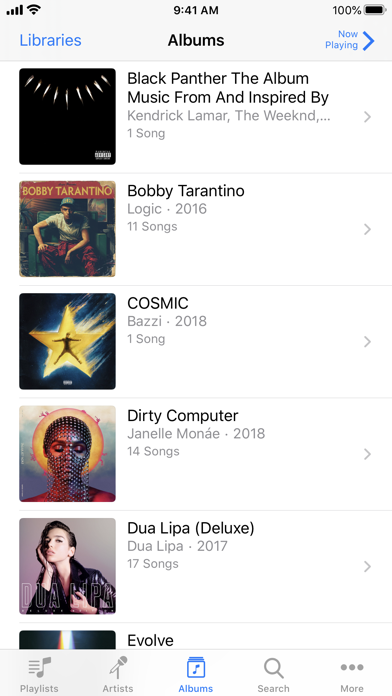
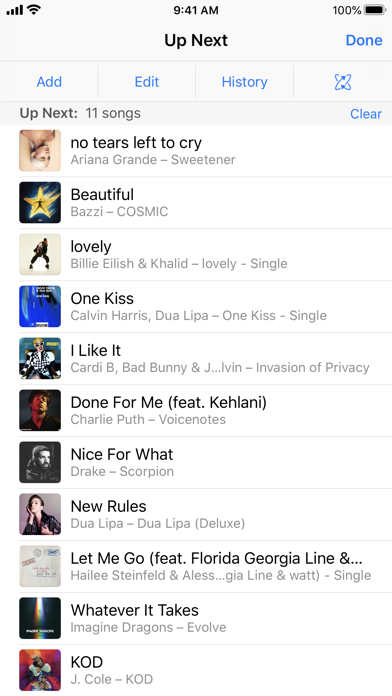
iTunes Remote is the best way to control Apple Music, iTunes, or the Apple TV app from anywhere in your home. Simply download the app to your iPhone or iPad, and connect directly to Apple Music, iTunes, or the Apple TV app on your Mac or PC. With iTunes Remote you can: • Access your Apple Music, Apple TV, or iTunes libraries • Browse music by artist, albums, and songs • Browse movies, TV shows, and podcasts • Create and edit playlists • See upcoming songs with Up Next • Search your entire Apple Music, Apple TV, or iTunes libraries • Explore shared Apple Music, Apple TV, or iTunes libraries • Listen with AirPlay • Send music to AirPlay speakers • Group speakers together to play music in multiple rooms at the same time • Set the volume on each speaker independently Requirements: • iPhone, iPad, or iPod touch with iOS 11.4 or later • Wi-Fi connection to Apple TV, Apple Music, or iTunes on a Mac or PC • macOS 10.15.2 or higher for Apple Music and the Apple TV app • iTunes 12.8 or later is recommended for use with iTunes Remote

Released
Feb 1, 2019
Category
Entertainment
Content rating
4+
Price
Free
In-app purchases
No
Developer site
apple.com ↗
WWUSGBDEJPINBR

No chart data

No rank history yet for this selection.

→

Screenshots

3
iTunes Remote screenshot 1iTunes Remote screenshot 2iTunes Remote screenshot 3