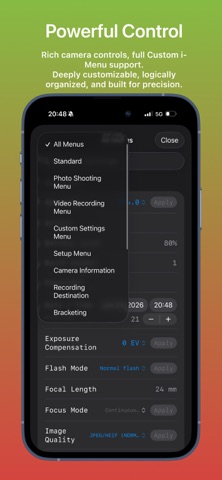
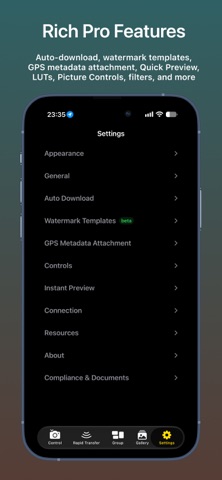
Imaging Console is a professional third-party camera control, monitoring, and file transfer application compatible with Nikon Z series mirrorless cameras and cinema cameras.
**Compatibility**
Expeed 7 models (Z9, Z8, ZR, Z6III, Z5II, Zf, Z50II) are fully compatible and support all app features.
Expeed 6 models (Z5, Z6, Z7, Z6II, Z7II, Z50, Z30, Zfc) do not support group functions. For wireless connections: use "Connect to Smart Device" for control, monitoring, and in‑camera file access; use "Connect to Computer" for control and monitoring only.
Important Notice
Imaging Console is independently developed and is not affiliated with, endorsed by, authorized by, or associated with Nikon Corporation, RED Digital Cinema, or their affiliated companies. References to Nikon, RED, and related product names are used solely to identify compatible devices.
Key Features
Hybrid Connectivity
Supports USB (MTP/PTP) and wireless (PTP/IP) connections, including camera hotspot, Wi-Fi, and mobile hotspot. Supports both single-camera and multi-camera workflows.
Multi-Camera Control
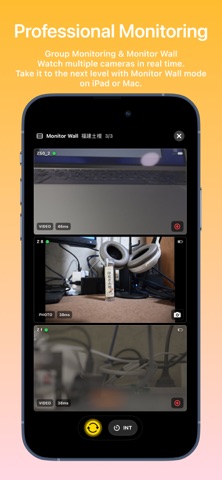
Manage and control multiple cameras wirelessly with synchronized photo capture, video recording, mixed capture modes, live monitoring, and synchronized operation for supported shooting modes.
Professional Live View
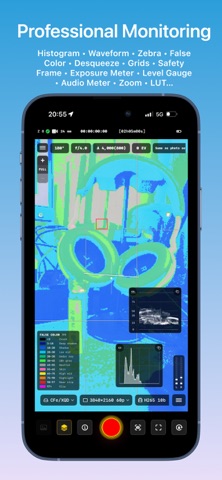
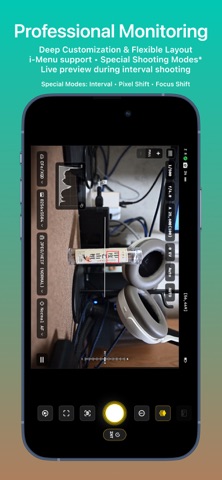
Monitor live video with touch focus and convenient camera parameter control. Includes professional monitoring tools such as LUT preview, false color, zebra, histogram, waveform, safe area, level indicator, and composition grids.
In-Camera File Management
Browse, review, download, protect, rate, and preview files with LUT support. Batch download and advanced filtering are supported. Voice memo management is available on supported flagship cameras.
Rapid Transfer Workflow
Automatically download newly captured files—or mark selected files as protected on the camera to send them directly to Imaging Console. Choose Gallery, Photos, or Files as the destination, automatically attach GPS, IPTC, and copyright metadata, and support cardless shooting workflows. Review, edit, and deliver selected content faster without interrupting camera operation.
LUT & Image Optimization
Import custom LUTs and optimization profiles for live preview, in-camera file browsing, post-capture preview, and library viewing.
LivePhoto generation and export
Supports flexible export from in‑camera video files or imported gallery videos, with HDR preservation and automatic GPS location tagging.
Imaging Console is designed to provide photographers, filmmakers, and professional creators with a reliable and efficient camera control workflow.