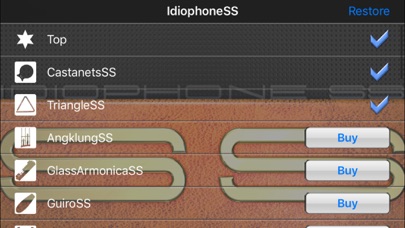
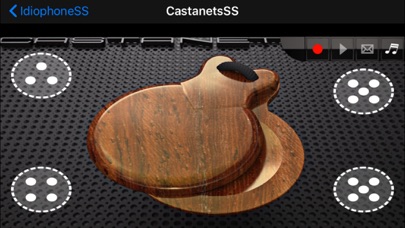
An idiophone is a musical instrument that creates a sound by its own substance, being stiff and elastic enough to vibrate without the use of strings or membranes. IdiophoneSS includes 24 idiophones such as castanets or the triangle. You can play the castanets and the triangle for free. Other instruments can be added through in-app purchase.
Note: please find the details about each music instrument on our website.
http://hdoapp.sakura.ne.jp/idiophonessia_en.html
IdiophoneSS IA is designed to allow you to easily play the trumpet with a single finger.
Added the recording function!
It picks the surrounding sounds as well, and you can use it in many different ways such as recording your vocals or creating a voice memo. You can also send the recorded data via email. Note that the maximum attachment size of an email depends on the iOS device you are using. Please contact your cell phone service provider for further information. * A 10 seconds recording is around 450 kB.
- Support iTunes file sharing(http://support.apple.com/kb/HT4094?viewlocale=en_US)
Added the play with other music app button on the right side of the record button (however, this disables the recording). For example, you can play along with your favorite songs on Music app.
Now you can select the audio file format when recording. If you want to send a file via email, record at "22kHz / 8 bit" to reduce the file size.
- Users who have a problem with the musical instrument app that doesn't make any sound. (http://support.apple.com/kb/HT51311?viewlocale=en_US)
- Volume slider
- Display scale on keyboard
- Support orientation
- Record button / Play button / Stop button / Send the sound data via Email button
- Support iTunes file sharing
- Play with other music app button
- Set Contents
- CastanetsSS(Free)
Range: 5 tones
- TriangleSS(Free)
Range: 4 tones
- AngklungSS(Paid)
Range: G#3 - C6, approximately 3 octaves(15 tones)
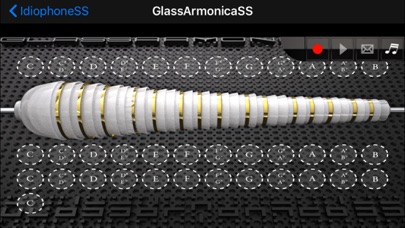
- GlassArmonicaSS(Paid)
Range: C3 - C8 approximately 5 octaves(61 tones)- iPad
Range: sC4 - C11 approximately 3 octaves(311 tones)- iPhone, iPod Touch
* Display scale on keyboard
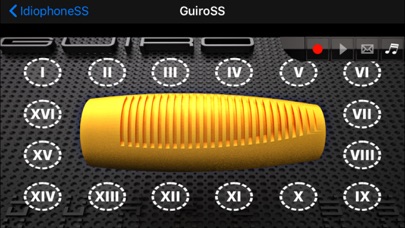
- GuiroSS(Paid)
Range: 16 tones
- HyoshigiSS(Paid)
Range: 6 tones
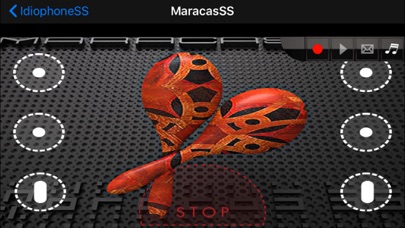
- MaracasSS(Paid)
Range: 6 tones
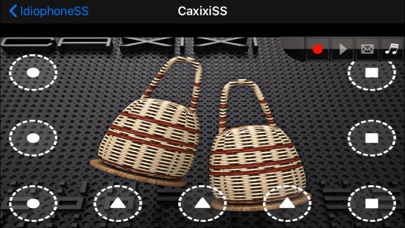
- CaxixiSS(Paid)
Range: 9 tones
- ClavesSS(Paid)
Range: 16 tones
- LogdrumSS(Paid)
Range: 15 tones
- SingingBowlsSS(Paid)
Range: B4 - D6, approximately 1 octaves (16 tones)
- JawHarpSS(Paid)
Range: 13 tones
- TeponaxtliSS(Paid)
Range: 12 tones
- VibratoneSS(Paid)
Range: 8 tones
- AfoxeSS(Paid)
Range: 15 tones
- RattleCogSS(Paid)
Range: 4 tones
- ShakerSS(Paid)
Range: 5 tones
- FlexatoneSS(Paid)
Range: 15 tones
- WashboardSS(Paid)
Range: 19 tones
- TingshaSS(Paid)
Range: 10 tones
- RainstickSS(Paid)
Range: 11 tones
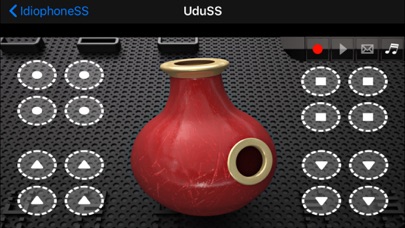
- UduSS(Paid)
Range: 16 tones
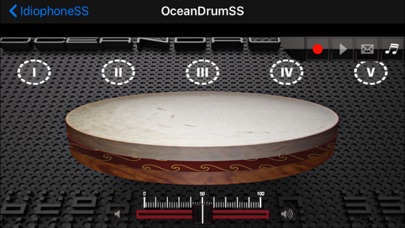
- OceanDrumSS(Paid)
Range: 16 tones
- ToereSS(Paid)
Range: 18 tones