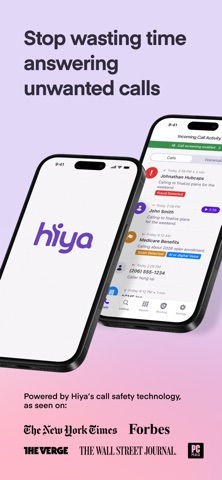
Know who's calling. Block unwanted calls. Screen the rest.
CALLER ID & CALL BLOCKING
See who's calling before you answer. Hiya shows caller names and call context for incoming calls and automatically blocks numbers reported as unwanted, using Hiya's phone number reputation data.
LOOK UP UNKNOWN NUMBERS
Search any number to see who called and whether it has been reported as spam or unwanted by other users.
CALL SCREENER *
Turn on Call Screener and set up call forwarding, and unknown calls are answered by Hiya on your behalf. Hiya asks the caller why they're calling, so you can decide whether to pick up. Call forwarding is set up through your carrier, and the steps are guided in the app.
AI VOICE DETECTION & CALL SAFETY ALERTS *
For calls handled by Call Screener, Hiya's servers can analyze the call and flag signs of an AI-generated voice or risky requests. You'll see the alert in the app.
REPORT & REVIEW
Report numbers you don't trust and see your recent call activity in one place.
Requirements and availability:
- Caller ID and call blocking require enabling Hiya in iPhone Settings > Phone > Call Blocking & Identification.
- Call Screener, AI Voice Detection, and Call Safety Alerts require call forwarding to be enabled with your carrier. They are available only in the United States and Canada, in English and French, Spanish and may not be supported by all carriers or plans.
- Feature availability may vary by device, operating system, carrier, and plan.
- Detection is designed to help identify risk but cannot identify every unwanted or suspicious call.
* = U.S. and Canada only. English, French, and Spanish only.
Terms of Service: https://www.hiya.com/terms-of-service
Privacy Policy: https://hiya.com/hiya-data-policy