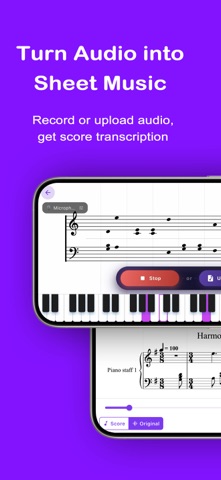
**Physical piano required.** Harmono works with both acoustic and digital pianos. No extra setup needed - just open the app, tap the start icon, and start practicing the music you care about.
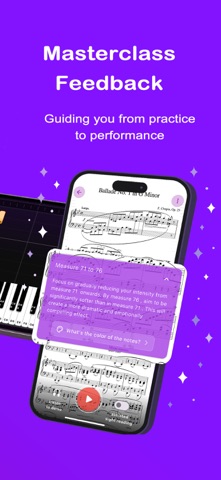
Harmono helps you turn each piano practice session into focused, musical work with instant, actionable feedback and interpretations inspired by masterclass teachers, so you can fix recurring mistakes and prepare confidently for your next recital. It focuses on deepening your practice with real sheet music notation and real musical feedback, not gimmicks or “play it fast” tricks.
Why pianists love practicing with Harmono
Real musical feedback: Harmono analyzes your playing for tempo, dynamics, pedaling, and voicing, then offers precise, constructive tips you can act on immediately.
Guided first play-through (optional, patent-pending): Helps with your first run-through of a new, challenging piece using the original sheet music. Harmono adds subtle orientation cues over the score so you stay on track and build confidence, while still reading from standard notation and build the right sight reading habits. It’s best used on especially dense or unfamiliar sections, and can be turned off once your reading is secure.
Auto-scroll (hands-free sheet music): Hands-free scrolling that follows your playing and keeps the music moving, so no more juggling paper or tapping the screen to flip a page while you practice.
Real-time accuracy hints: Subtle indications when your notes, rhythm, or articulation don’t match the score, so you can notice and correct issues quickly and develop more reliable reading, timing, and listening.
Intelligent next-step suggestions: For each piece you’re working on, Harmono highlights specific bar ranges and musical aspects (for example, “bars 17–24, focus on left-hand voicing”) so your practice time is more focused and you can return to lessons ready to work more on musical interpretation instead of the same technical fixes.
Progress tracking that motivates: See how your playing changes over time, build practice streaks, and celebrate meaningful milestones in your repertoire.
Who it’s for
* Beginner pianists who just want to get to playing their first song
* Students taking lessons who want clearer, more focused practice between lessons.
* Beginners who want structured guidance at home.
* Intermediate pianists refining musicality.
* Advanced and conservatory-level players preparing for exams, recitals, and competitions.
Harmono adapts to a wide range of levels and goals.
Get started
Download Harmono and try a practice session today. Stronger performances start with better practice.
Terms of use: https://harmono.app/terms
Privacy policy: https://harmono.app/privacy