"Always working and no time for family..."
"If I prioritize family, I have no time for my hobbies..."
"Struggling to balance roles as an employee, father, husband, friend, and individual..."
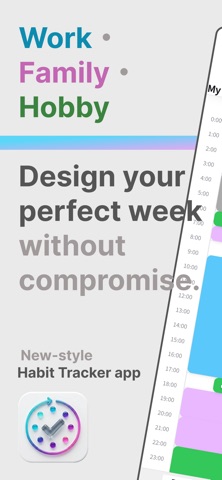
For those juggling the complexities of modern life, this is a completely new "puzzle-style" weekly schedule and habit-building app!
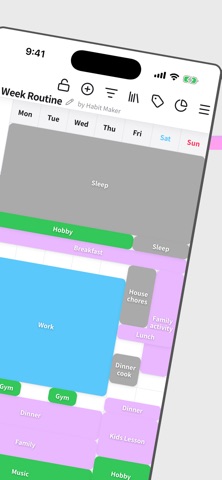
"Habit Maker" is a time management diary that lets you design your week (24/7) by filling in blocks, just like a puzzle. By visualizing and arranging what you "want to do" and what you "must do," you will discover unexpected gaps in your schedule or time you've been overusing. Balance your time for what truly matters and design your ideal routine.
◆ What you can do with Habit Maker ◆
1. List Life's Priorities with "Tags"
Start by listing what's important in your life as tags: "Work," "Family," "Personal Time," "Sleep," etc. Create the essential elements that make up your life. Hierarchical tags (parent/child) allow for detailed organization.
2. Create "Patterns" for Each Day
Create multiple schedule patterns for the same day, such as "Monday with Overtime (Pattern A)" and "Monday Leaving on Time (Pattern B)." Flexibly adapt to irregular daily schedules.
3. Manage Multiple Calendars
Create and switch between multiple calendars for different purposes, like "Normal Work Week," "Long Vacation," or "Ideal Week," with just one tap.
4. Time Distribution Analysis (Pro Version)
Tally your weekly time usage by tag and analyze it with beautiful pie charts! Perfect for checking your work-life balance, such as "What percentage is family time in my current design?" or "Am I working too much?"
5. Intuitive Puzzle-Style UI
Place your created tags on the calendar as blocks. Easily move or resize them with drag-and-drop. Design your ideal week by making the most of "gap time" as if you were solving a puzzle.
◆ Recommended for: ◆
• Those wanting to improve balance between work, parenting, and hobbies.
• Those wanting to secure time for morning routines or self-investment.
• Those struggling to maintain daily routines or habits.
• Those who couldn't stick with existing calendar or timetable apps.
• Those wanting to visually design their life's "portfolio."
◆ About Premium Features (Pro) ◆
While the free version is fully functional, upgrading to Pro unlocks:
• "Analysis Charts" to visualize time distribution.
• Completely Ad-Free experience.
• Unlimited Calendars, Day Patterns, and Tags.
• Beautiful "Gradient Color" settings for tags.
The first step to reclaiming your life in a busy world.
Why not design your best week ever with "Habit Maker"?