GTField - Professional Field Survey App for iPhone and iPad.
Designed for researchers, GIS engineers, scientists, and maritime professionals, GTField empowers you to collect, manage, and share geospatial data directly in the field—with or without an internet connection.
MAPS & GEOSPATIAL DATA
• Real-time GPS tracking: Display your current location on Google Maps (Standard, Terrain, and Satellite views).
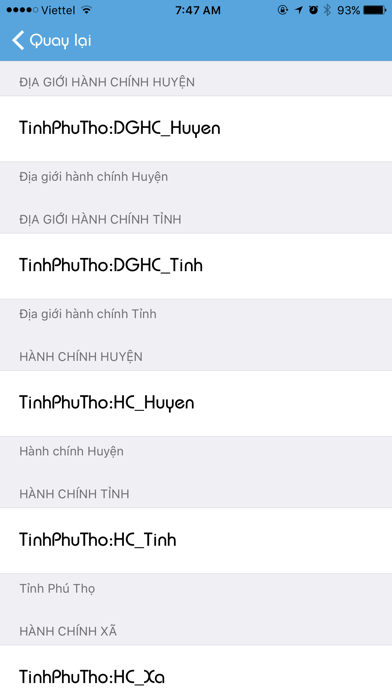
• GeoServer integration: Connect and render geospatial data from GeoServer via WMS/WFS.
• Feature attribute lookup: Tap directly on the screen to query map feature attributes.
• Layer comparison: Smoothly compare data layers using an intuitive opacity slider.
• Multi-format support: Easily open and view GPX, KML, and GeoJSON files.
OFFLINE MAPS
• MBTiles support: Download offline maps in MBTiles format for seamless navigation without internet.
• Tile data sharing: Share map tiles with colleagues to save bandwidth during field surveys or offshore maritime operations.
TRACK LOGGING & WAYPOINTS
• Real-time tracking: Continuously record your movement paths in real time.
• Waypoint marking: Mark reference points with high-precision GPS coordinates.
• Flexible data export: Export collected data to GPX (compatible with Google Earth, Garmin) and DXF (for AutoCAD and GIS).
GEOTAGGED CAMERA
• EXIF metadata tagging: Capture photos with automatically embedded GPS coordinates.
• Customizable metadata: Add custom titles and descriptions saved directly inside the image file.
• Map-based photo view: Visualize and display photos based on their geographic locations on the map.
• Google Earth export: Export photo batches with coordinates to Google Earth (GPX format + attached images).
PROFESSIONAL TOOLS
• Location & address search: Find natural sites and addresses powered by Google Places.
• Coordinate system transformation: Convert coordinate reference systems (CRS) and map projections globally.
• In-app data search: Quickly search through your collected internal data.
GEOSERVER CONNECTIVITY
• Flexible server connection: Enter your GeoServer URL via the internet or a local Wi-Fi network.
• Layer management: List and select specific layers for visualization or attribute lookup.
• Open-standard sync: Synchronize data seamlessly with team members using open standard formats.
IN-APP PURCHASES
• Payment will be charged to your iTunes Account at confirmation of purchase.
• Subscription automatically renews unless cancelled at least 24 hours before the end of the current period.
• Manage your subscription anytime in: Settings → [Your Name] → Subscriptions.
• Any unused portion of a free trial period will be forfeited when you purchase a subscription.
Privacy Policy & Terms of Use: https://gtfield.rbc.vn