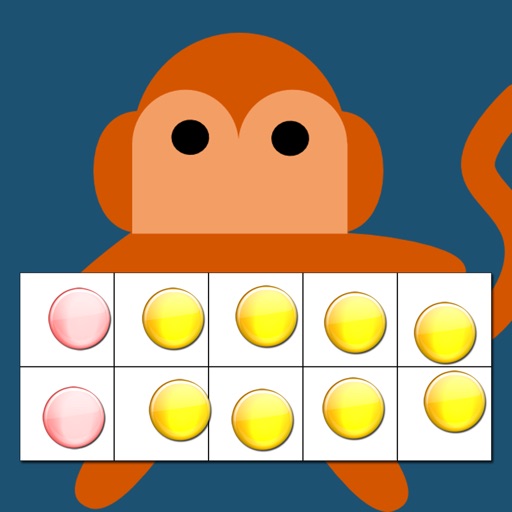
Little Monkey Apps Friends of Ten is an activity to be used in the early years of schooling to introduce an early understanding of numbers to ten, counting objects to ten, subitising - recognising a collection of objects without counting them, counting on from a higher number, partitioning of objects and the combinations that make ten 8+2, 2+8, 1+9, 3+7 etc. These skills underpin mental addition and subtraction.
The importance of recalling number combinations that make ten are that students use strategies for addition, that is, knowing that 7+3 is the same as 8+2. This introduces the idea of patterns and compensation (one up, one down). These activities develop the concept that addition and subtraction are linked.
Little Monkey Apps Friends of Ten can be used in the traditional classroom to collaborate with a small group or used by individual learners. For both types of users, a written record such as poster or chart collating knowledge of what was said previously allows revisiting and adding to knowledge.
Little Monkey Apps Friends of Ten is designed to encourage verbal communication about discoveries and build upon previous knowledge. Little Monkey Apps Friends of Ten tasks are often best utilised through the Threading technique. That is the task is to be used 2 or 3 times a week for a few minutes each time over a period of time. The student(s) are therefore familiar with the structure of the activity but the challenge is new each time. This technique allows students to construct their own learning.
The App is broken up into a number of sections. A teaching module and independent tasks to reinforce skills.
=Tens Frame=
Teaching module - a blank form with counters to be used with teacher interaction
=Show me=
Independent or collaborative task to create a given number on the Tens frame
=How many?=
Independent or collaborative count, recognise and move counters to make it easier to count.
=Friends of Ten=
Independent or collaborative
=How many less?=
Independent or collaborative
=How many more?=
Independent or collaborative
Recognising and Making Numbers
Initially students will demonstrate an understanding of numbers to ten by arranging counters or objects a 'Tens frame.' Use the Tens frame section to do this. Some students will commence counting from 0 when they place the counters on the frame. Some may arrange the counters haphazardly whilst others will arrange the counters on the top row or in 'partners'.