StoreIntel
AppsTop ChartsTrendingKeywordsMy Apps
Not affiliated with Apple Inc. App Store is a trademark of Apple Inc.Top chartsSupportTermsPrivacy

FreeCell (Classic Card Game)

Staple Games · Games · 6.5y old

Free
◆ ProTrack this app App Store

Performance · Worldwide

Est. downloads / month · WW

<5K

Below chart threshold

Est. revenue / month · WW

<$5K

Below chart threshold

Rating · WW

4.8★

16.9K ratings

Chart position

Rank history — US · Top Free

Apple's Top Free chart — free apps ranked by recent downloads.

Top FreeTop Grossing

Ratings count — US

16.9K
◆ Pro1 chart locked

See the numbers behind the rankings

  • Keyword RankingsWhich App Store searches it ranks for, and where
Unlock everything

Listing

About

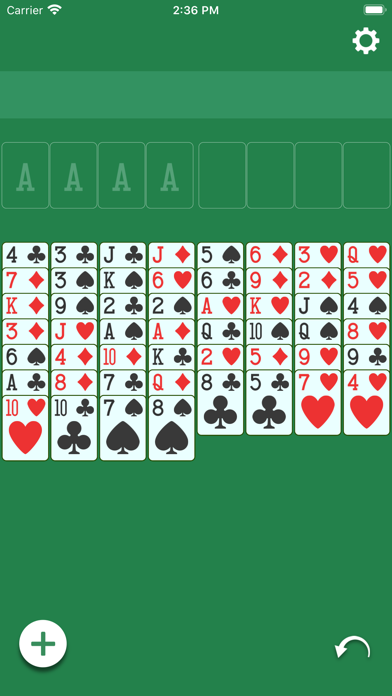
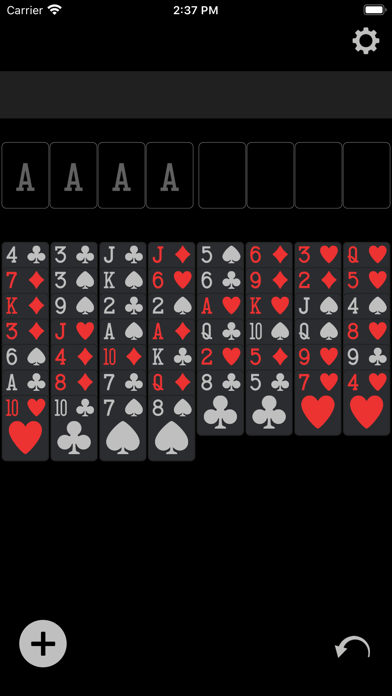
Train your brain with a daily dose of FreeCell! This modern take on a classic card game will keep you sharp. Simple and intuitive gameplay with a minimalistic design so that nothing gets between you and the game. Try it out! FEATURES: - Easy to read cards - Intuitive tap to play - Intelligent auto-complete - Auto-save, so you never lose your progress - Unlimited undo - Statistics How to Win: - Move all 52 cards up to the four foundations (top left) in sequential order, Ace to King, for each suit FreeCell Rules: Moves to columns (bottom 8 stacks) - Alternating colors - Descending in card value Moves to Foundation (top left) - Matching suit - Starting with Ace up to King Moves to FreeCells (top right) - Any single card can be moved to a FreeCell How many cards can be moved at a time? - One card for each open FreeCell - Double for each empty column You will learn quickly we promise! If you get stuck, tap on any card and the app will automatically make a valid move if one exists.
Released
Apr 9, 2020
Category
Games
Content rating
4+
Price
Free
In-app purchases
No
Developer site
staplegames.com ↗
WWUSGBDEJPINBR

No chart data

No rank history yet for this selection.

→

Screenshots

2
FreeCell (Classic Card Game) screenshot 1FreeCell (Classic Card Game) screenshot 2
