FocusQuill is a study timer and exam planner built for students who want to focus, log real study time per subject, and walk into every exam prepared. It works fully offline, with no account and no sign-up - just open it and start studying.
Most study apps either nag you or hide your data behind a login. FocusQuill keeps it simple and private: a calm Pomodoro study timer, a clear picture of where your hours go, and a study plan that counts down to exam day so nothing sneaks up on you.
A FOCUS TIMER MADE FOR STUDYING
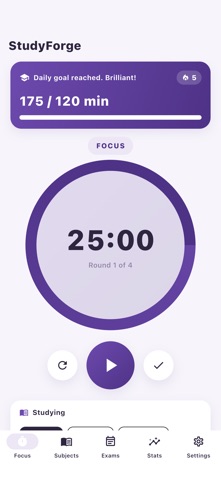
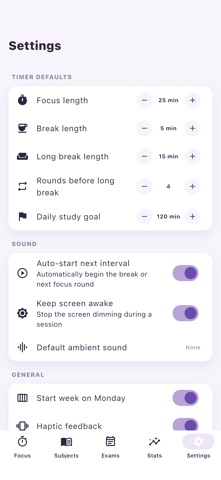
- A Pomodoro study timer with focus and break rounds you can fully customize.
- Pick the subject before you start, so every minute is logged where it belongs.
- Custom session lengths for deep work, quick revision, or a 25-minute sprint.
- Optional ambient study sounds (white noise, rain, cafe) to block out distractions.
- The screen stays awake while you study and gently celebrates a finished session.
SUBJECTS WITH WEEKLY STUDY GOALS
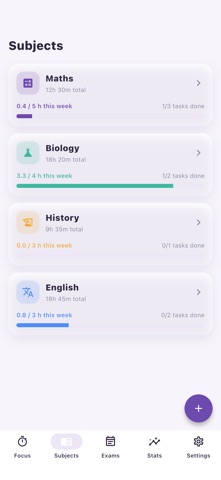
- Create a subject for every class, module, or topic you are revising.
- Set a weekly study-hours goal and see how close you are at a glance.
- Per-subject totals show which courses get your time and which need more.
TASKS & ASSIGNMENTS WITH DUE DATES
- Track homework, essays, and assignments with due dates so nothing is late.
- Tick tasks off as you go and keep a clean to-do list for the whole term.
- Spot what is due this week before it becomes a last-minute panic.
EXAM COUNTDOWNS & A STUDY PLAN
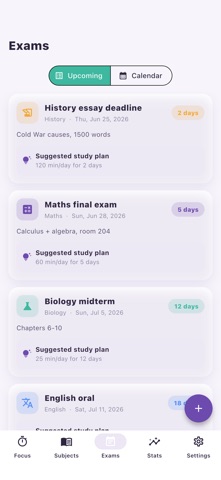
- Add each exam and watch a live countdown to the big day.
- A calendar view lays out exams and deadlines across the semester.
- A suggested study plan spreads revision over the days you have left, so you study a little every day instead of cramming the night before.
STUDY INSIGHTS, STREAKS & CHARTS
- A consistency heatmap (calendar style) shows every day you studied.
- Charts break down study time by subject, by day, and by hour.
- Track your study streak and your best focus time of day to build a routine.
- Compare this week with last week to see your momentum.
STUDY REMINDERS
- Gentle, optional reminders to start a study session or revise before an exam.
- Notifications are entirely opt-in and easy to switch off.
PERFECT FOR
- High school and college students juggling several subjects at once.
- University students planning revision for finals and midterms.
- Anyone studying for a certification, language, or professional exam.
- Self-learners who want a private study tracker with no subscription.
- Students with a busy timetable who need a simple exam study planner.
PRIVATE & FULLY OFFLINE
- No account, no cloud, no tracking of your study habits by us.
- Every subject, session, task, and exam is stored only on your device.
- Export and import your data anytime as a backup - it stays in your hands.
FocusQuill turns scattered cramming into a calm, trackable routine: focus in short Pomodoro bursts, log study time per subject, follow a plan toward each exam, and let the streaks and charts keep you motivated. Download FocusQuill and make this your best, most organized study term yet.