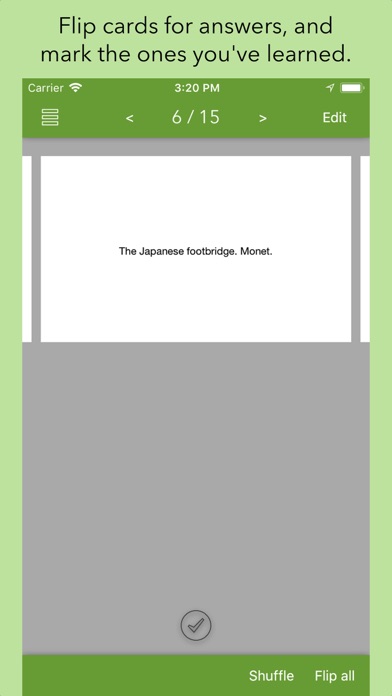
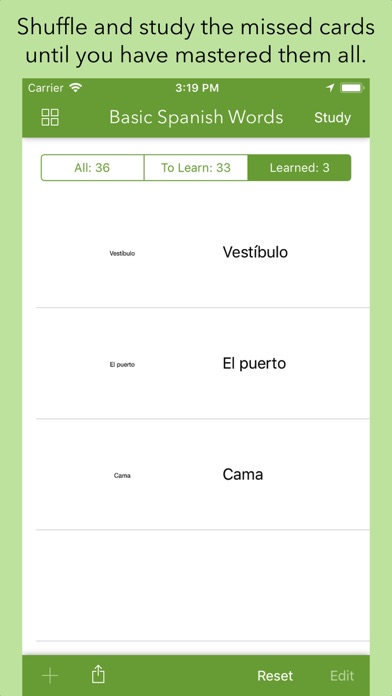
Quickly master your material with your favorite flash card techniques. Test yourself against your own deck of cards, and check off the ones you have mastered. Go through just the ones you missed until you have mastered them all.
FlashCards lets you study anywhere, on your iPhone or iPad. Test yourself while on the bus, or first thing in the morning.
Use it standalone, or import cards from Cardflow+.
Features:
• Rapidly create cards from within the app itself.
• Add images to the front or back - even snap photos of existing cards.
• Create rich cards with diagrams and annotations with Cardflow+ (see our developer page).
• Organize cards into multiple decks.
• Store cards in iCloud, or the service of your choice, to automatically sync across devices.
• Share your decks with your friends - to study together.
• Shuffle cards.
• Flip all cards at once (great for two-way language vocabulary).
• Perfect for preparing for standardized tests like the SAT, ACT, AP, GRE, MCAT.
• Use it to master your favorite subject, be it biology, chemistry, history, or geography (quick, what's the capital of Madagascar?).