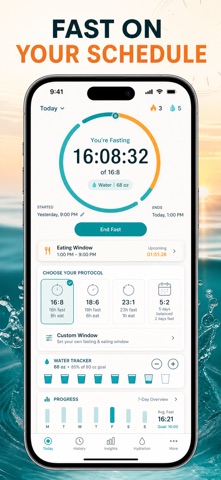
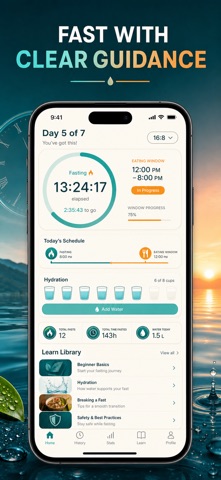
An intermittent fasting timer that tells you exactly where you are: hours elapsed, hours left, and which metabolic stage your body just entered.
Most fasting apps stop at a countdown. This one draws the whole fast on a stage timeline — fed state at 0h, glycogen use at 4h, fat burning at 8h, ketosis at 12h, autophagy at 16h, deep ketosis at 24h — so the number on screen finally means something. Underneath it sits a hydration log, because water is what makes the last four hours bearable, and a Learn library that answers the questions every beginner hits in week one.
WHAT YOU GET
- Know your fasting window at a glance: a live ring timer with hours elapsed, time remaining and the exact clock time your eating window opens
- Follow your body, not just the clock — a metabolic stage timeline that fills in as you pass 4h, 8h, 12h, 16h and 24h
- Start in two taps with 16:8, 18:6, 20:4 or OMAD 23:1, and get a completion notification the moment you hit your goal
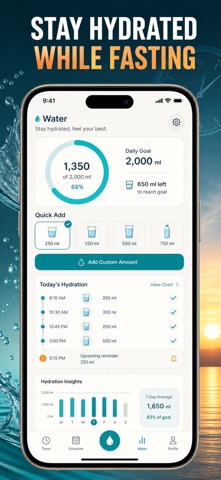
- Hit your water target every day — a 250 / 500 / 750 ml quick-add, a custom amount, an adjustable daily goal and a progress ring for today
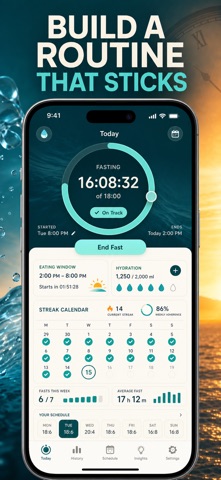
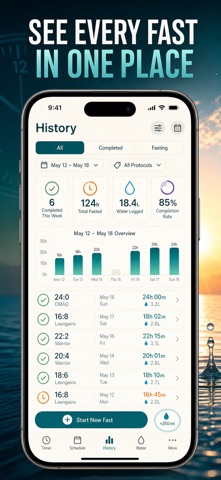
- See whether it is working: total fasts, average length, longest fast, a consecutive-day streak and a bar chart of your last ten fasts
- Close each fast honestly — rate how it felt and your energy level from 1 to 5, then browse the full history of every fast you finished
PERFECT FOR
- Beginners starting 16:8 who want to know what is happening inside the fast, not just when it ends
- OMAD and 20:4 fasters chasing longer ketosis and autophagy windows
- Anyone who keeps forgetting to drink water once meals disappear from the day
- People who quit fasting before because the hours felt pointless and invisible
WHY NOT JUST USE A KITCHEN TIMER?
A timer tells you 6:42 is left. It cannot tell you that you crossed into fat burning two hours ago, when your eating window opens tomorrow, how long your streak is, or whether last week's fasts were actually longer than this week's. That context is the difference between counting down and building a habit.
PRIVACY
Everything stays on your iPhone. No account, no sign-up, no servers — your fasts, water logs and notes are stored on the device and are never uploaded.
FULL ACCESS
This is a paid app: one plan unlocks everything — all four fasting protocols, the live timer and stage timeline, unlimited history, insights and charts, the hydration log and the full Learn library. Choose weekly, yearly, or a one-time lifetime purchase. No ads at any tier.
This app is a fasting timer and hydration log for general wellness, not medical advice. Talk to a doctor before fasting, especially if you are pregnant, diabetic or managing a health condition.
Pick 16:8, tap Start, and watch your first stage light up tonight.
Terms of Use (EULA): https://web-levi.web.app/terms
Privacy Policy: https://web-levi.web.app/privacy-policy
Questions? tphuc.work@gmail.com