EpubCraft is a complete ebook studio for iPad and Mac. Create EPUBs from scratch, polish imported books, or turn a scanned PDF into a clean, reflowable ebook — with no account, no subscription, no ads, and no tracking. Your books are saved locally on your device, and OCR runs entirely on-device using Apple Vision.
A real editor, two ways to work
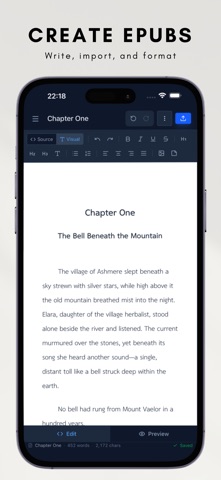
Switch instantly between a visual editor and a raw-HTML source view, with live preview in edit, preview, or split layout. Everything you type round-trips losslessly, so power users get full control while everyone else just writes.
Bring in anything
Import EPUB, DOCX (Word), Markdown, plain text, and ZIP files. Merge several EPUBs into a single book with drag-to-reorder and automatic asset de-duplication — perfect for combining chapters, volumes, or serialized releases.
Scan paper into ebooks (OCR Studio)
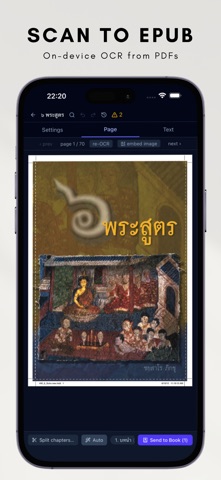
Point EpubCraft at a scanned PDF and let on-device Apple Vision OCR do the rest. It filters running headers and footers, groups text back into proper paragraphs, detects chapter breaks, and stitches pages together — including smart handling for languages without spaces, like Thai. Turn an out-of-print scan into a tidy, searchable EPUB.
Export everywhere readers are
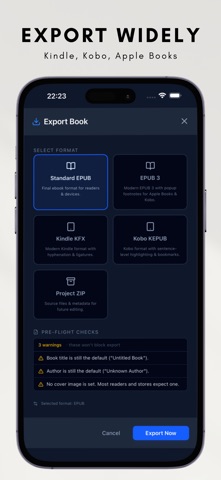
- Standard EPUB for Apple Books and most readers
- KFX for Amazon Kindle
- KEPUB for Kobo
- Raw ZIP for inspection and debugging
Format conversion (KFX, KEPUB) runs on-device.
Make it look right
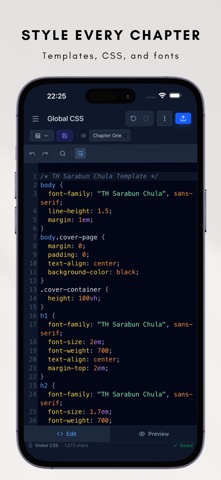
Apply chapter templates, global CSS, and footnote styles. Embed custom fonts so your book looks identical on every device. Built-in templates include polished defaults plus first-class Thai typography.
Powerful clean-up tools
Book-wide search and replace, plus a library of saved regular-expression presets for the messy realities of imported text: split chapters on headings (English, Thai, Chinese, Japanese, Korean, and more), strip Word artifacts, collapse blank lines, normalize quotes and scene breaks, and remove page numbers from OCR output — all in a couple of taps.
No account, no ads, no tracking
EpubCraft has no sign-in and no advertising or analytics SDKs. Your books are saved locally on your device. A few features connect to online services to do their job — optional Thai word-spacing — so see our Privacy Policy for exactly what each one sends.
Whether you're self-publishing a novel, archiving a scanned book, converting a manuscript for Kindle or Kobo, or just fixing a broken EPUB, EpubCraft gives you professional control without the complexity.