Easy SSH puts your servers' command line in your pocket — securely, in Arabic and English, with no account and no tracking.
WHY EASY SSH
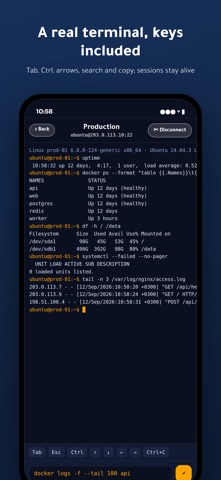
• A real terminal: Tab completion, Ctrl, Esc and arrow keys, colours, free scrolling through history, search and copy.
• Key-based login: generate an ed25519 key inside the app and copy the public key to your server in one step, or import your existing OpenSSH / PEM key. Password login is supported too.
• Host-key pinning: the server fingerprint is stored on first connection and checked before every authentication, so nobody can impersonate your server on public Wi-Fi.
• Live monitoring with charts: CPU, memory, disk, load, network and top processes, refreshed every few seconds, with a 48-hour history on your phone and the server's own sysstat log when available.
• 18 ready-made packs (130 commands), all read-only: server health, Docker, systemd services, network, logs, nginx, PostgreSQL, Git, Redis and more. No pack command deletes data or changes server state.
• Your own shortcuts: one-tap buttons for the commands you repeat, with placeholders prompted at run time.
• Live sessions: leave the terminal and the session stays connected; automatic reconnect when the network drops.
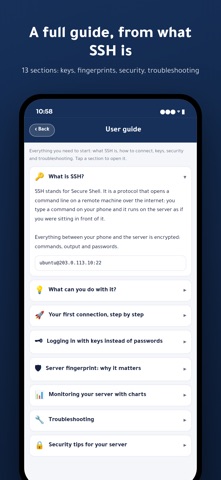
• A complete in-app guide: what SSH is, your first connection, keys and fingerprints, security tips and troubleshooting.
• Light and dark themes, adjustable font size, full right-to-left support.
PRIVACY FIRST
No sign-up, no analytics, no ads. Your servers and keys live only in your device's secure storage (Keychain). The only connection the app makes is your own encrypted SSH session to your server.
WHO IS IT FOR
System administrators, DevOps engineers, developers and site owners who want to check a Linux server, read a log or run a command while away from their desk — on a VPS, a cloud instance, a Raspberry Pi or a home lab.
Support: subs@origami.sa