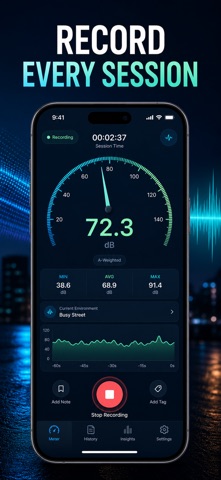
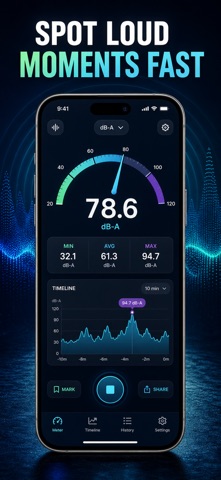
How loud is it, really? Point your iPhone at any room, street or venue and SoundLevel reads the level in decibels on a live, color-coded gauge that moves the instant the sound does.
Most meters hand you a bare number and leave you guessing. SoundLevel tells you what the number means. Every reading is matched against a whisper-to-jet-engine scale — library, café, busy restaurant, heavy traffic, rock concert — with a plain-English note on how long that level is safe to stay in. A 70 stops being an abstract digit and starts being a decision.
WHAT YOU GET
- An instant read on how loud any place actually is, in decibels
- A live scrolling trace that shows sound rising and falling as it happens
- Timed sessions that capture the minimum, average and peak dB of a moment
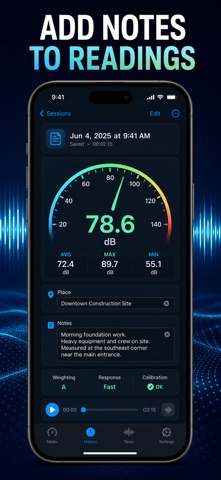
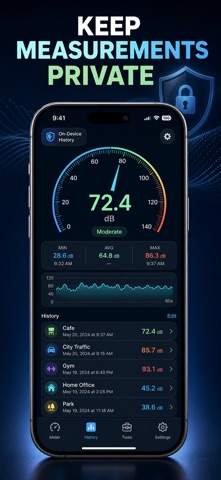
- A saved history you can name, annotate and reopen, trace and all
- A full decibel scale from 10 dB to 130 dB with real-world examples
- A hearing guide that explains dBA, exposure time and when to protect your ears
PERFECT FOR
- Concert and club goers checking whether the front row is worth the ringing
- Renters and homeowners documenting noisy neighbours, traffic or machinery
- Parents and light sleepers dialling in a quiet bedroom or nursery
- Anyone curious how loud their office, gym, café or commute really is
WHY NOT JUST TRUST YOUR EARS?
Because ears adapt. A room that feels "fine" after twenty minutes can still sit above the level where hearing damage begins, and by the time something sounds painful the exposure has already happened. A number you can see removes the guesswork. SoundLevel uses your iPhone microphone, so treat readings as a careful estimate rather than a certified instrument — there is a calibration offset in Settings if you want to line it up with a reference meter, plus an A-weighting (dBA) toggle to match how loudness actually feels to the ear.
PRIVACY
Audio is analysed live on your device purely to produce a level. Nothing is recorded, no measurements leave your iPhone, and there is no account, no ads and no tracking.
FULL ACCESS
SoundLevel Premium unlocks the complete app: unlimited saved sessions with min, average and peak dB, the full saved trace for every session, names and notes on your history, the whole decibel reference scale and the hearing guide. Choose a weekly plan, a yearly plan, or a one-time lifetime unlock — the yearly plan works out cheapest per week, and the lifetime unlock never renews.
Open SoundLevel, tap Start, and find out what the room you are sitting in right now actually measures.
Terms of Use (EULA): https://web-levi.web.app/terms
Privacy Policy: https://web-levi.web.app/privacy-policy
Questions? tphuc.work@gmail.com