StoreIntel
AppsTop ChartsTrendingKeywordsMy Apps
Not affiliated with Apple Inc. App Store is a trademark of Apple Inc.Top chartsSupportTermsPrivacy

Countdown Timer 2020

Dusan Lilic · Productivity · 6.8y old

Free
◆ ProTrack this app App Store

Performance · Worldwide

Est. downloads / month · WW

<5K

Below chart threshold

Est. revenue / month · WW

<$5K

Below chart threshold

Rating · WW

4.0★

4 ratings

Chart position

Rank history — US · Top Free

Apple's Top Free chart — free apps ranked by recent downloads.

Top FreeTop Grossing

Ratings count — US

4
◆ Pro1 chart locked

See the numbers behind the rankings

  • Keyword RankingsWhich App Store searches it ranks for, and where
Unlock everything →

Listing

About

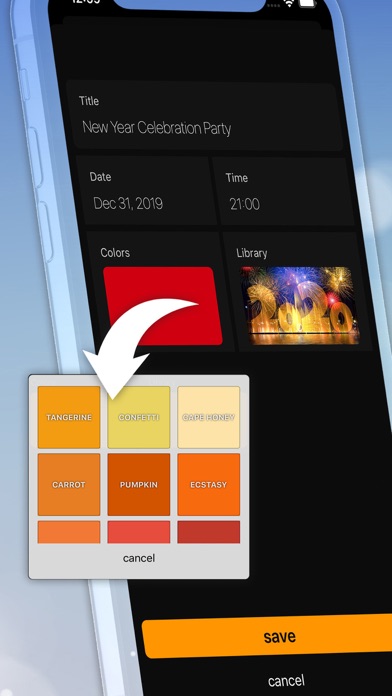
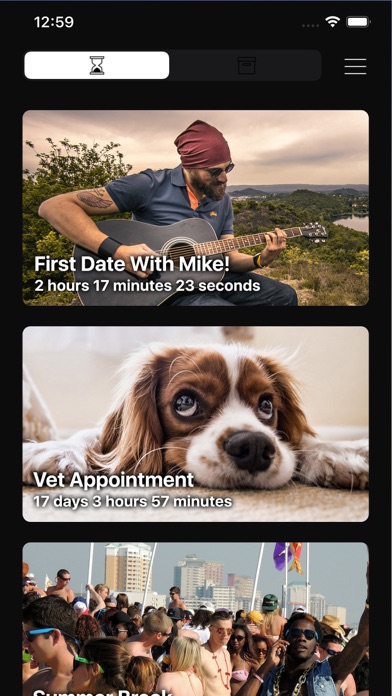
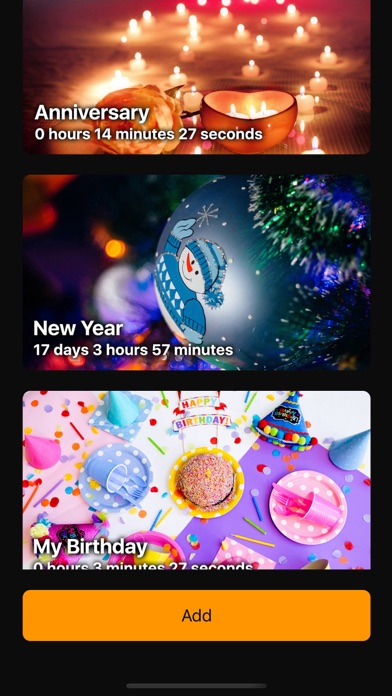
Have your most anticipated events right in your pocket with Countdown Timer 2020. Events are tracked to the second in real-time with great accuracy. Feel the excitement and have fun editing your events as the day draws closer and show it to your friends and family. You can change color, background photo and add custom text. As a background, you can use photos from your own gallery or take a picture through the app. You can have multiple timers active at the same time. The app has a widget that will broadcast the next upcoming event. The past events will be archived but the counting will continue. That way you can easily track anniversaries of the events. Pick a color or add cool backgrounds to truly bring your event to life and make the day uniquely yours.. Make a wish list and show your friends what do you want for New Years Eve. The Countdown Timer 2020 will show days, days, hours and seconds left.

Released
Dec 19, 2019
Category
Productivity
Content rating
4+
Price
Free
In-app purchases
No
WWUSGBDEJPINBR

No chart data

No rank history yet for this selection.

Screenshots

6
Countdown Timer 2020 screenshot 1Countdown Timer 2020 screenshot 2Countdown Timer 2020 screenshot 3Countdown Timer 2020 screenshot 4Countdown Timer 2020 screenshot 5Countdown Timer 2020 screenshot 6