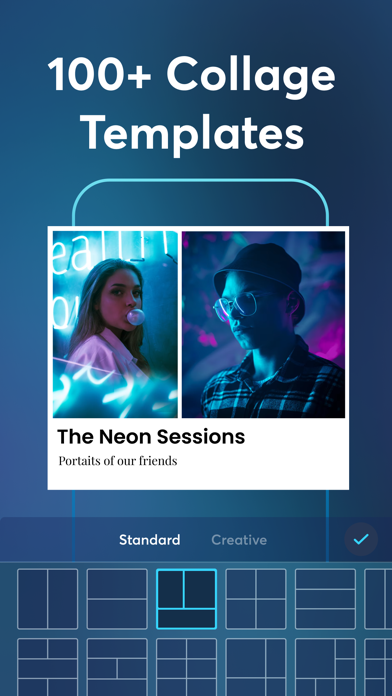
The best and #1 All-In-One Photo Editor and Collage Maker to capture unforgettable memories and show the world the greatest moments! Make the collage projects to share in all your social media accounts using hundreds of layouts, templates, designs, effects, and tools!
Creating Collage has never been this easy! You can select from a variety of unique and creative templates and photo collage styles so you can let everyone hear your story.
Now with hundreds of unbelievable effects, awesome templates, emojis, stickers, text fonts, and filters.
Use Collage Maker+ to create amazing social media content, grow a new business or just for fun. No design skills or complex software needed to build beautiful collages. You'll really love the creativity with endless combinations of templates, stickers, texts, borders, filters, shapes and more. All you need are your perfect moments and let the app do the magic!
FEATURES:
LAYOUTS
• 100s of Collage Layouts and Templates to choose from
• Add multiple images in one step to save time
• Change templates in real time to get variations
• Adjust collage templates and spacing to perfection
• Ability to move, scale, rotate, and adjust your images, texts, emojis
TEXT AND FONTS
• Text Layers with creative fonts, alignment, custom backgrounds
• Move, resize and rotate easily
• A variety of carefully handpicked fonts
• Font selection supports multiple languages
• Easily pick the best fonts
FREESTYLE MODE
• Create your own collage style
• Add your images, adjust, scale, rotate, and add the best photo filters
• Choose which image to highlight and organize images
BORDERS & DECORATION
• Exclusive Stickers
• Canvas Backgrounds (gradients and solids)
PHOTO EDITOR
• Edit photos with filters
• Adjust corners
• Mirror each photo
• Zoom, rotate for better control
SOCIAL MEDIA RATIO
• Canvases are ready for any social media platform
• No need to crop and adjust manually, 1-click for easier sizing
STICKERS
• Exclusive Emojis representing seasons and countries
• Available exclusive Holiday and Seasonal Stickers
• 100+ Stickers to choose from
SAVE & SHARE
• Save Projects to Camera Roll
• Ready to export to all social media sizes: Instagram, Instagram Story, TikTok, Facebook, Twitter, Pinterest
FREE FOR EVERYBODY!
• Our app is available for use for everybody even without a subscription!
• NO ADS! The app is completely free of any ads so you can create your collages without interruption
———PLEASE NOTE———
Due to the differences between iPhone models, older models may experience lagging and crashes when editing.
------
We are the easiest app for making perfect collages with no ads, so DOWNLOAD NOW!
All you need are your perfect moments. No need for design mastery, everything is a simple click away!
Terms of Use: www.livintis.com/collage-maker-terms
Privacy Policy: www.livintis.com/collage-maker-privacy-policy
We would love to hear what your thoughts are about the app!
For any questions about our Collage Maker+ app, feel free to contact us at collagemaker@livintis.freshdesk.com