Clip is a video diary made of one second a day. Add a short moment from each day, and Clip turns your days into a recap video you keep and share: a month, a year, a trip, or your whole life so far.
HOW IT WORKS
1. Add today's moment. Record it in the app or pick a video from your photo library, then trim the one to five seconds you want to keep.
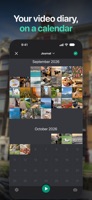
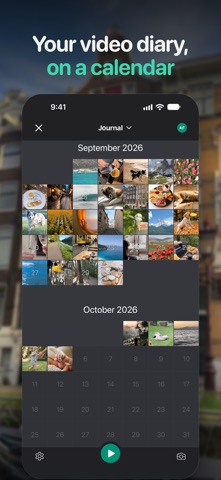
2. Keep going. Your Journal project fills up day by day, and your streak shows how many days in a row you've captured.
3. Make a recap. Pick all your moments, one month or hand-picked days, and Clip plays them back in order as one video.
WHY PEOPLE KEEP A CLIP DIARY
• One second every day takes a few taps, so the habit sticks.
• Relive a whole year in a couple of minutes: birthdays, trips, a pregnancy, a baby's first year, or ordinary Tuesdays.
• Journal project for everyday life, Freestyle projects for a trip, a wedding or any event, with moments in the order you choose.
• Auto-Fill picks moments from videos already in your photo library for days you missed. Keep or discard each suggested moment.
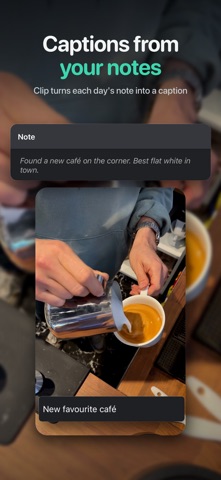
• Notes let you write down the story behind any day.
• Daily reminders nudge you to add today's moment.
• Auto Backup to your own iCloud keeps projects and moments in sync across your devices.
• No ads, ever.
CLIP PREMIUM
• Longer moments: up to 5 seconds each.
• Add music: from our library, iTunes or the cloud, to any recap.
• High resolution: export recaps in 1080p or 4K.
• No end card: your recap is entirely yours.
• Unlimited Freestyle projects.
• Collaboration: add moments to a shared project with friends and family.
• Extra filters for every moment.
Try Premium free before you subscribe. Payment is charged to your Apple Account when the free trial ends, and the subscription renews automatically unless you cancel at least 24 hours before the end of the current period. Manage or cancel it in your App Store account settings.
One moment a day. Start today, and in a year you'll have a video of it.
Privacy Policy: https://get-clip.app/privacy-policy
Terms of Service: https://get-clip.app/terms-of-use


 +5
+5