Need a fast and reliable chess clock for your speed games?
Looking for a clean, distraction-free chess timer without ads?
Chess Clock is a simple tool designed to time your chess matches quickly and efficiently — whenever you need it.
Perfect for blitz, bullet, rapid, classical chess, or any two-player game where precise time control matters.
Why Choose This Chess Clock?
● Clean and simple interface
● No ads — no distractions
● Large, easy-to-read fonts
● Fast and reliable performance
● Designed for both casual and tournament use
Key Features
● Select your game duration and increment with just a few taps
● Support for both Fischer and Bronstein increment modes
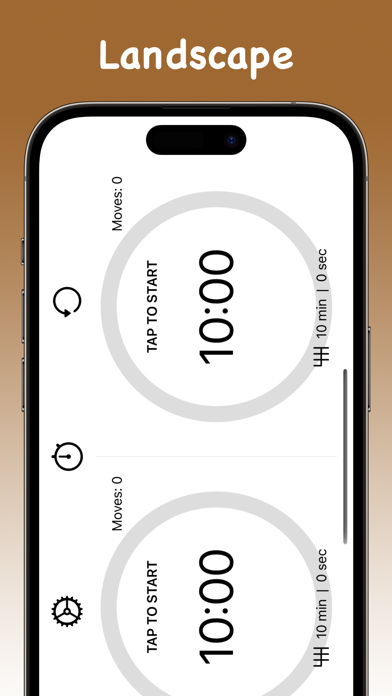
● Works in portrait and landscape orientation
● Customize your own timers
● Pause the timer at any time
● Adjust remaining time in the middle of a game
● Move counter and game statistics for both players
● Completely ad-free experience
— — —
How does this chess clock work?
Simply select your game duration and increment type, then tap to start. Each player taps their side of the screen after making a move to switch the timer.
What increment modes are supported?
The app supports both Fischer and Bronstein increments. Fischer adds a fixed amount of time after every move. Bronstein adds time up to the increment amount based on how quickly you moved.
Can I adjust the timer during a game?
Yes. You can pause the game and adjust the remaining time for either player at any point during the match.
Can I create custom time controls?
Yes. You can set your own player time, choose an increment type, and specify the increment duration to match any format you need.
Does the app track game statistics?
Yes. The app records total game time, time played per player, number of moves, and average time per move.
Does the app contain ads?
No. The app is completely ad-free for a distraction-free experience.
Does it work in landscape mode?
Yes. The app fully supports both portrait and landscape orientations.
Is the app free?
The app is free to download and use, with optional premium features available via in-app purchase.
— — —
If you enjoy the app, please leave a review on the App Store. Your feedback really helps.
Questions or suggestions? We'd love to hear from you.
Support Email: AppsForParents@gmail.com
Terms of Use:
https://www.apple.com/legal/internet-services/itunes/dev/stdeula/
Privacy Policy:
https://sites.google.com/site/appsforparentsprivacy/