StoreIntel
AppsTop ChartsTrendingKeywordsMy Apps
Not affiliated with Apple Inc. App Store is a trademark of Apple Inc.Top chartsSupportTermsPrivacy

CamRanger 2 - Camera Control

CamRanger · Photo & Video · 7.1y old

Free
◆ ProTrack this app App Store

Performance · Worldwide

Est. downloads / month · WW

<5K

Below chart threshold

Est. revenue / month · WW

<$5K

Below chart threshold

Rating · WW

4.6★

344 ratings

Chart position

Rank history — US · Top Free

Apple's Top Free chart — free apps ranked by recent downloads.

Top FreeTop Grossing

Ratings count — US

344
◆ Pro1 chart locked

See the numbers behind the rankings

  • Keyword RankingsWhich App Store searches it ranks for, and where
Unlock everything

Listing

About

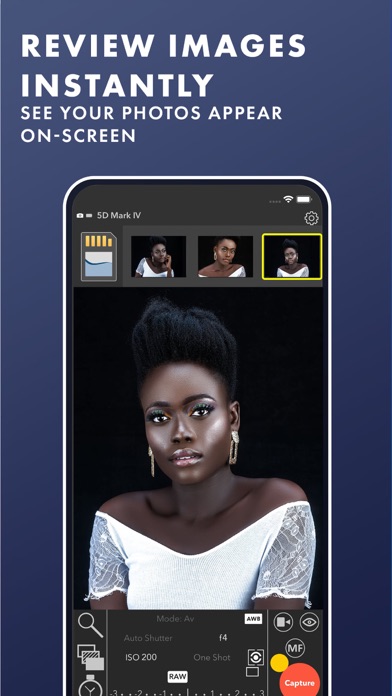
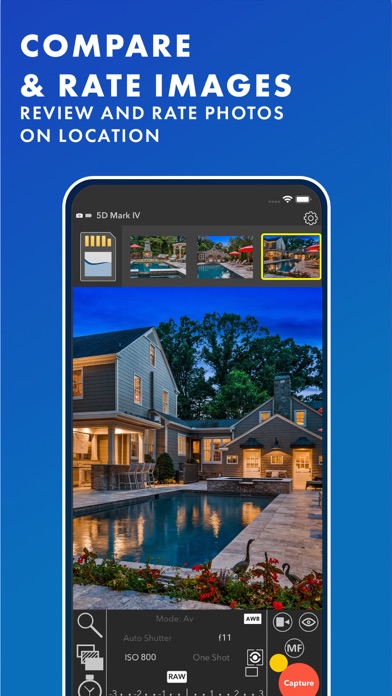
The CamRanger 2 provides reliable, professional level wireless camera tethering and control of your Canon, Nikon, Sony, or Fujifilm camera with your iPad or iPhone. From simple, fast image previews to advanced controls, you will be amazed at what you can do with the CamRanger 2 and your camera. A separate CamRanger 2 device is required. The CamRanger 2 only works with supported cameras: https://camranger.com/knowledge-base/supported-cameras/ - Quick Image Previews - Live View - View and set camera parameters (Shutter Speed, Aperture, ISO, White Balance, Focus Mode, Capture Mode, etc.) - Touch focusing and focus adjustments - Remote capture - View full resolution images with meta data and histogram - Movie Recording - Automatic Focus Stacking - Intervalometer (Time-Lapse) - Bulb Mode - HDR/Advanced Bracketing - Send images to multiple devices - Save images to iOS Photo Library, upload to social media, backup to CamRanger 2 SD card See https://camranger.com for full details and supported cameras

Released
Aug 31, 2019
Category
Photo & Video
Content rating
4+
Price
Free
In-app purchases
No
WWUSGBDEJPINBR

No chart data

No rank history yet for this selection.

→

Screenshots

8
CamRanger 2 - Camera Control screenshot 1CamRanger 2 - Camera Control screenshot 2CamRanger 2 - Camera Control screenshot 3CamRanger 2 - Camera Control screenshot 4CamRanger 2 - Camera Control screenshot 5CamRanger 2 - Camera Control screenshot 6CamRanger 2 - Camera Control screenshot 7CamRanger 2 - Camera Control screenshot 8