Take control of your day with Calender, an all-in-one productivity app designed to help you plan better, stay focused, and move through your day with more intention.
Whether you’re juggling work, building habits, or just trying to stay organized, Calender brings planning, focus, and mindfulness together in one clean, easy-to-use app.
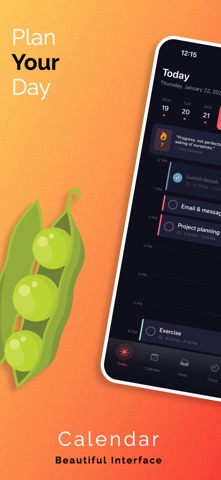
Daily planning that actually works
• A visual timeline that shows your entire day at a glance
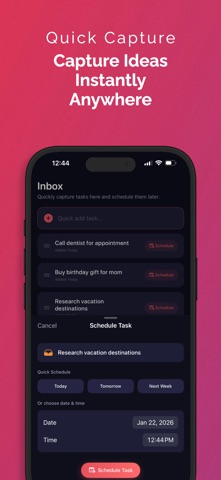
• Quick task capture so ideas don’t get lost
• Drag-and-drop scheduling for effortless planning
• Categories and color coding to keep everything organized
• Recurring tasks for habits and routines
• Priority levels to help you focus on what matters most
• Subtasks to break larger projects into manageable steps
Focus timer & Pomodoro
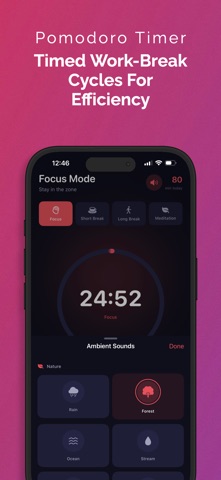
• Built-in Pomodoro timer for deep, distraction-free work
• Flexible focus sessions (25, 30, 45, or 60 minutes)
• Ambient sounds like rain, forest, or coffee shop
• Link tasks directly to focus sessions
• Session history and simple statistics
• Background audio support
• Live Activities to track your timer without opening the app
Meditation & breathing
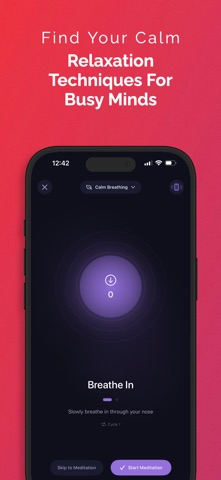
• Guided breathing exercises to reduce stress
• Popular techniques like box breathing and 4-7-8
• Meditation timer with calming ambient sounds
• Ideal for starting or ending your day on a calmer note
Routines made simple
• Create morning, evening, or custom routines
• Schedule routines on specific days automatically
• Build consistency without overthinking it
• Ready-to-use templates to get started quickly
Progress & motivation
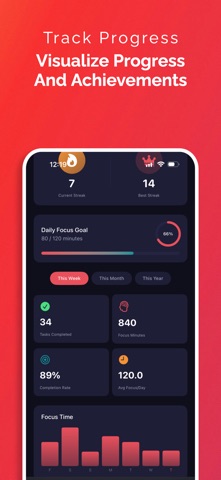
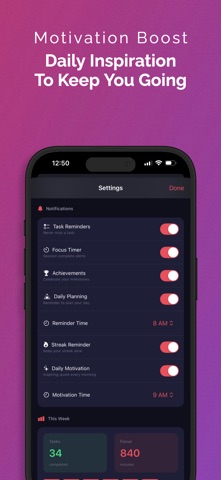
• Track completed tasks and total focus time
• View daily, weekly, and monthly progress
• Earn achievements as you stay consistent
• Streak tracking to keep you motivated
• Insights to help you improve how you work
Designed to feel good to use
• Clean, modern dark interface
• Smooth, thoughtful animations
• Optimized for iPhone
• No account required — your data stays private
• iCloud backup to keep your data safe
Subscription information
Calender offers auto-renewable subscription options:
• Weekly subscription
• Yearly subscription
Payment will be charged to your Apple ID account at confirmation of purchase. Subscriptions automatically renew unless canceled at least 24 hours before the end of the current period. Your account will be charged for renewal within 24 hours prior to the end of the current period. You can manage or cancel your subscription in your App Store account settings. Any unused portion of a free trial, if offered, will be forfeited when a subscription is purchased.
Privacy Policy:
https://www.sadynamics.com/privacy-policy-for-calender/
Terms of Use:
https://www.sadynamics.com/calender-terms-of-use-eula/
Download Calender today and make planning, focus, and progress feel simpler.
Your most productive days start here.