Business card scanner is also a digital business card reader. Now, you no longer need to spend a couple of hours manually entering a stack of business cards into your database. The business card scanner + reader can do it for you by quickly transferring and organizing business card contact information into digitally transcribed contacts. Now, you can scan many cards using the online business card organizer app.
No doubt this business card scanner makes it easy for you to remember more about the individuals you meet. The free business card scanner app scans business cards with Optical Character Recognition (OCR) and everything into a contact note, including:
• Name, company, title, and other contact information
• An image of the card
How Does a Business Card Scanner App Work?
Business cards play a crucial role in quickly sharing contact information with someone. It gives a professional first impression especially when you meet with a potential client. There’s no doubt these cards remain a constant even as people use the business card scanner + reader app to store their paper cards into digital business cards.
The business card scanner app for iOS helps to scan business cards and organize the contact information into the contact list of your phone. The business card reader app uses your phone's camera for card scanning stores the entire information in a digitized way and converts a card to a virtual business card.
Ease of Use: The business card organizer app makes organizing, scanning, and transcribing business cards relatively simple.
What Look For The Best Business Card Reader App:
Aim for a business card scanner app that provides you with advanced OCR features, a high degree of accuracy, ease of use, device capability, and additional features such as different OCR language support.
For most individuals, the free version of the business card organizer app will be sufficient according to their needs. The free version of the business card keeper will quickly and accurately save the information for your new contact. However, marketers may account for a paid version of the card scanner app so they can readily & accurately save their cards in a single place and access them when required.
Best Features Provided By Business Card Scanner App:
Let’s take a look at the advanced features of this app.
• The app uses advanced OCR technology to scan business cards, it recognizes the text of cards and transcribes them in digital form
• Business card reader scans QR Code and fetches the contact information
• Allow you to store business cards in a digitized way
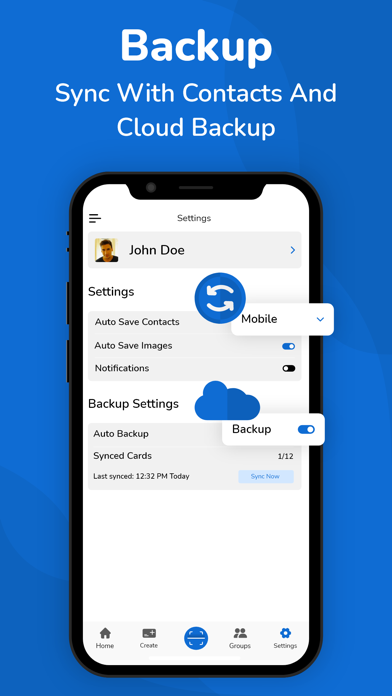
• Allow auto-sync of contacts
• Support a cloud-based (auto backup) system for your contacts
• Export business contacts help to export scanned contacts to Google (CSV), Outlook (CSV), and vcard files.
• Import allows you to import the contacts from the vcard file to your app
• The business card scanner allows you to read and scan the multilanguage cards. This business card app supports more than 30 languages
• Scanning limits: When it comes to a free plan, users get limited card scanning, to enjoy unlimited scanning you have to head to the business card scanner app pro version
Let’s Sum Up:
So,say goodbye to piles of paper business cards right now, and scan and organize your card contacts into a digitized form using the business card organizer app.
Disclaimer: This app is originally built and not copied from any other source. Your privacy is fully respected - we do not share your personal data with any third parties.
- Privacy policy
https://www.cardscanner.co/privacy
- Terms of Services
https://www.cardscanner.co/terms
- Website
https://www.cardscanner.co/
- Contact Email
cardscannerpro@gmail.com